Recall the preset tool:
Step 1: Press to enter the tool using status.We could input the tool
number directly.Press to enter the next parameter.
ENT
ENT
T
E
Step 2: Press to select the reference tool relative to the current
tool.Wecould input the number directly to select the reference tool.
ENT
T
E
Step 3: Press to exit.Move the carriage until the value of both X and Y axis
become 0.At this time,the second tool has been set at the reference
position.Likewise,user could input or recall 200 sets of tool.
Note: We could only zero under ABS model when the current tool(USE) is the same with the
reference tool(BASE),or we could only zero under INC model.
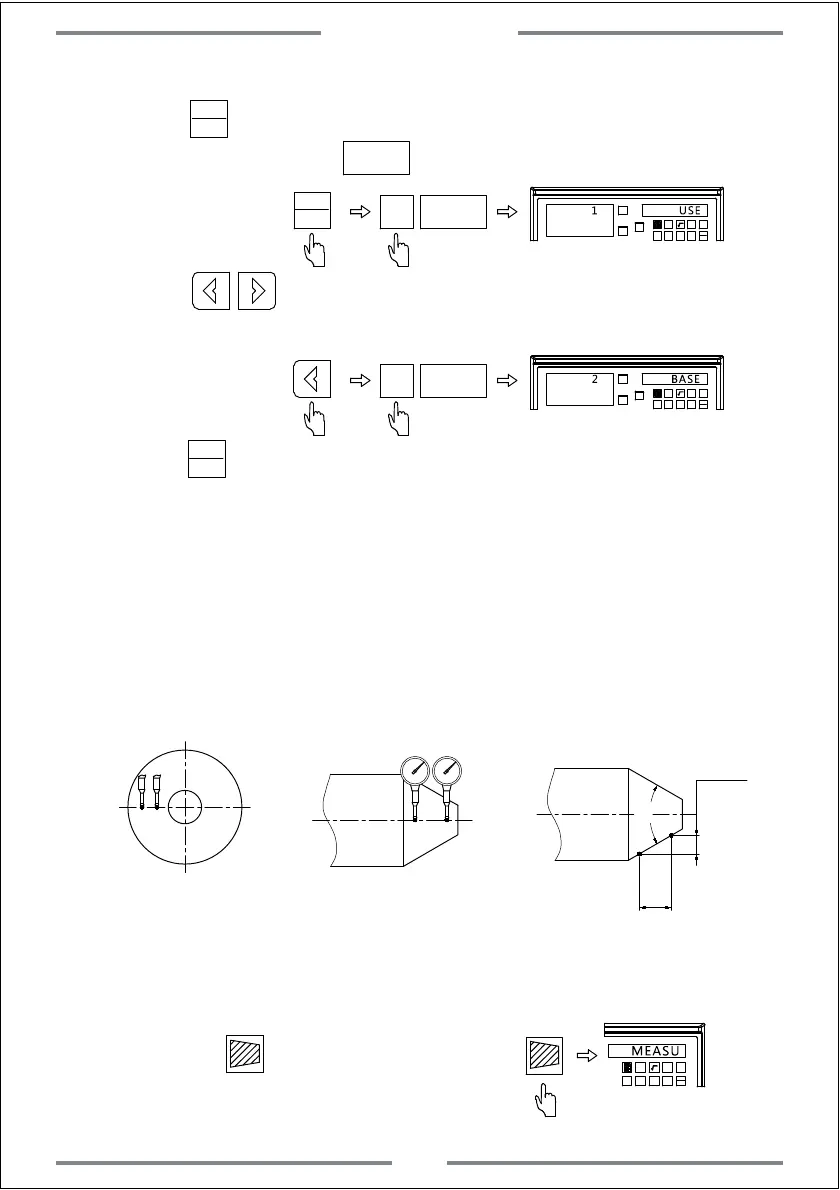
4.10 Taper Measuring Function(Applies to 2 axis and 3 axis Lathe)
When machining the work-piece with taper,this function enable user to
measure the taper of work-piece.
A
B
A
B
A
B
T
E
Operation Steps
Make the dial test indicator to contact the point A.Press until the value on
dial test indicator become 0.(Figure A) Then zero the X and Y axis.
Step 1: Press to enter the taper
measuring function.
Special Function
37



 To Next Page