CHAPTER 7
46 47
SOLO 2 DL
7.2.7 SmartyCam stream setting
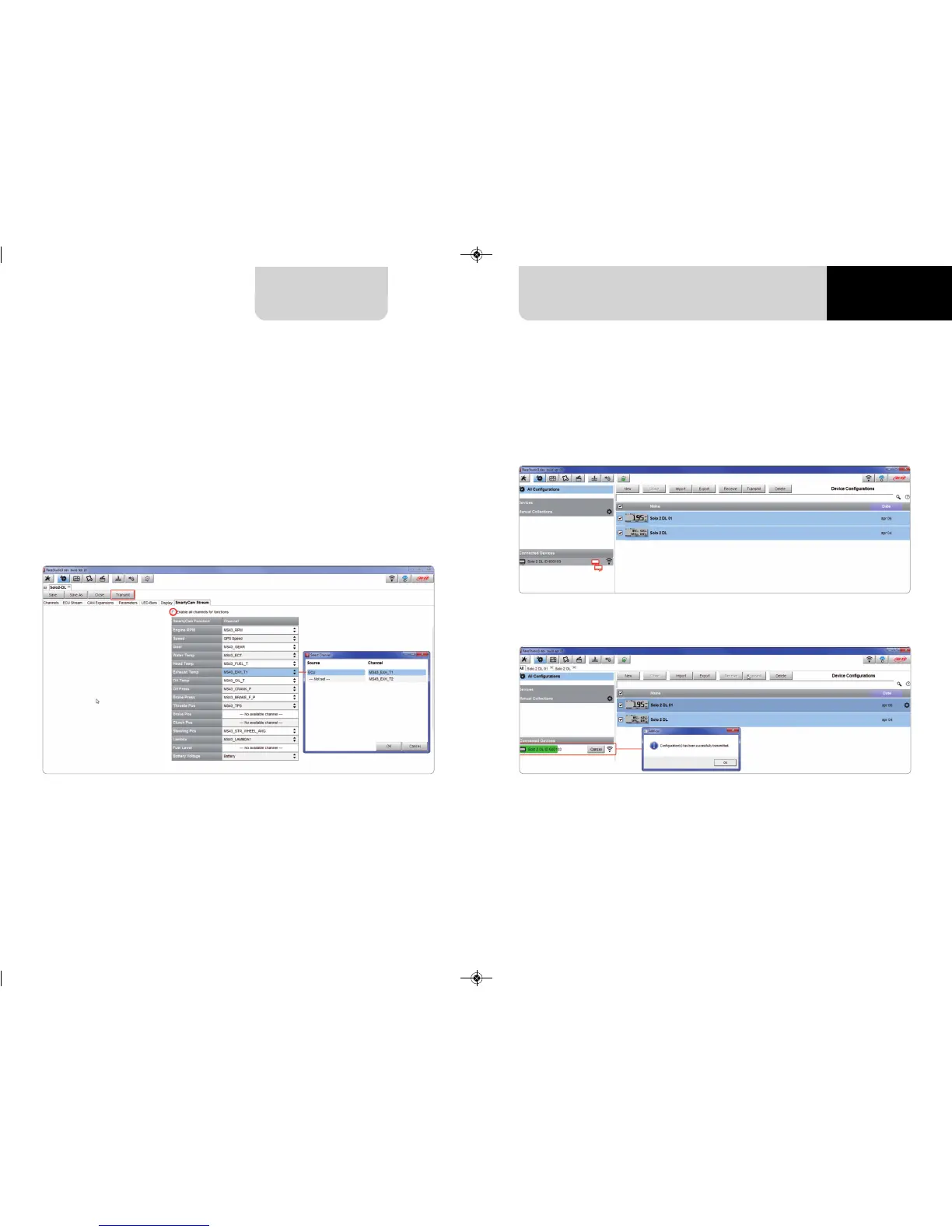
Solo 2 DL can be connected to AiM SmartyCam to show the data you wish on
SmartyCam video. To set each channel:
n
click on it and a setting panel shows up
n
it shows all channels and/or sensors that fits the selected function
n
in case you do not find the channel or the sensor in the list enable
“Enable all channels for functions” checkbox and all channels/sensors will be shown
n
once all channels set press “Transmit” on the page top keyboard.
7.3 Transmitting multiple configurations
Once all parameters have been set you can transmit the configuration(s) to your
Solo 2 DL selecting them and pressing transmit or in “drag and drop” mode.
The software shows that you are transmitting multiple configurations.
A time bar appears and at the end the software gives confirmation as shown in the
image below.



 To Next Page