3 | AC Series - Quick Start Guide
Initial Setup
AC Nio can either be installed locally, or accessed from a PC on the same network as the host. If accessing it from the host PC itself,
double click on the icon on the desktop or program list.
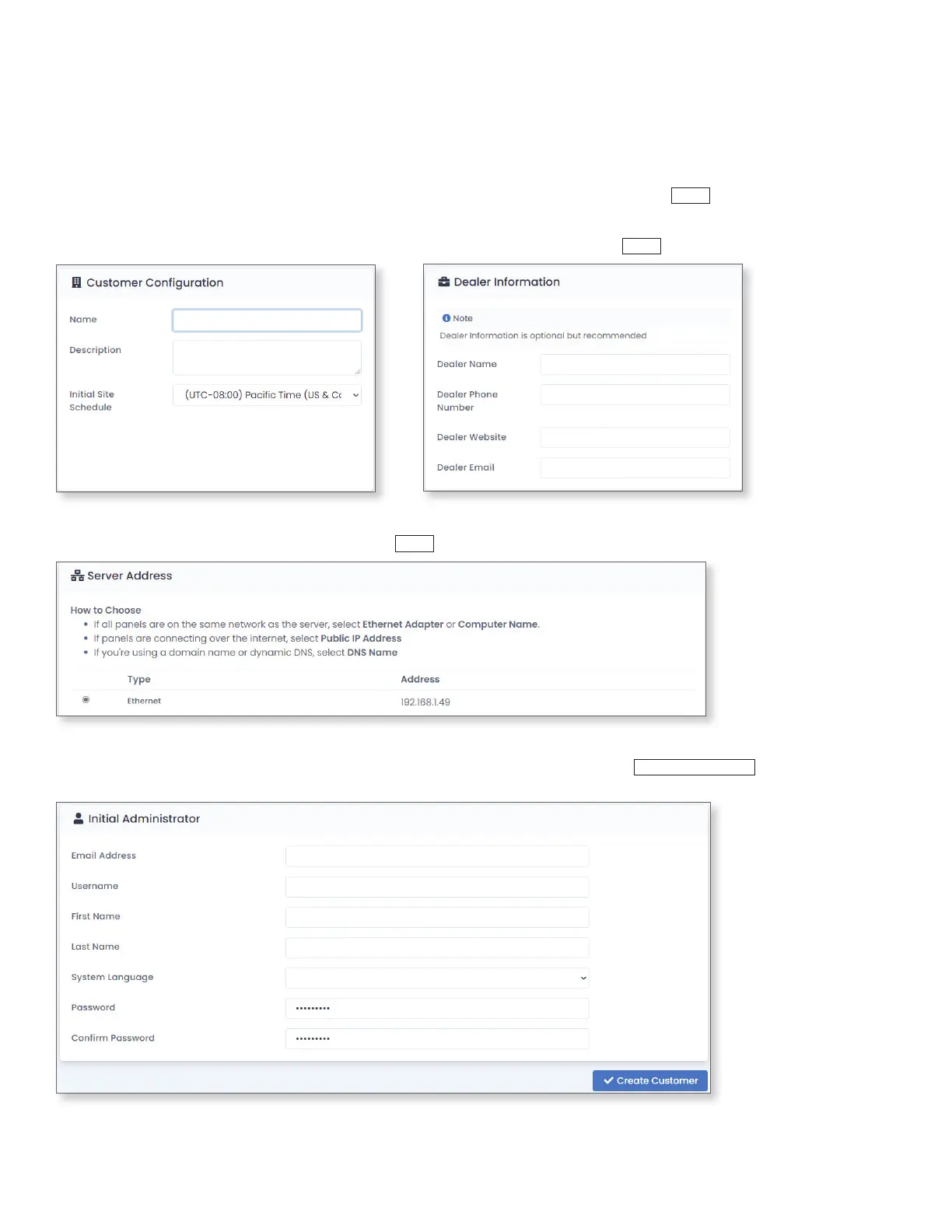
In the Server Address section of the AC Nio initial setup, select the network interface the software will be connected to. This interface
requires a static address or a DHCP reservation. Click
Next
.
Customer Name
Customer Description
Dealer Name
Dealer Phone Number
Dealer Website URL
Dealer Support Email
If AC Nio is being accessed from a separate host, make sure the programming PC is in the same IP range as the host. Open a web
browser and navigate to https://[AC Nio host IP Address]:11001. A message may appear saying that the page is insecure. Follow the
prompts in the browser to continue anyway. The prompts will vary depending on the browser used. When loading the web GUI for the
rst time, the AC Nio initial setup page will be displayed. To begin setup, accept the EULA and click
Next
.
After accepting the EULA, ll out the customer and dealer information on the next page. It is highly recommended to include an email,
since that is required for password recovery. Once this information has been lled out, click
Next
.
At least one administrator account must be created for the purpose of programming and managing the system. Additional administrator
accounts can be added and congured later. Complete the initial administrator form and click
Create Customer
. The log in page will
appear. Use the created administrator's email address and password to proceed.
Administrator Email
Administrator Username (Can be the same as admin email.)
Administrator First Name
Administrator Last Name
Administrator's Prefered Language





 To Next Page