Air Science
®
120 6th Street \ Fort Myers, FL 33907 \ T 239-489-0024 \ Toll Free 800-306-0656 \ F 800-306-0677 \ www.airscience.com
18 \ USER OPERATION MANUAL: Purair Basic Series
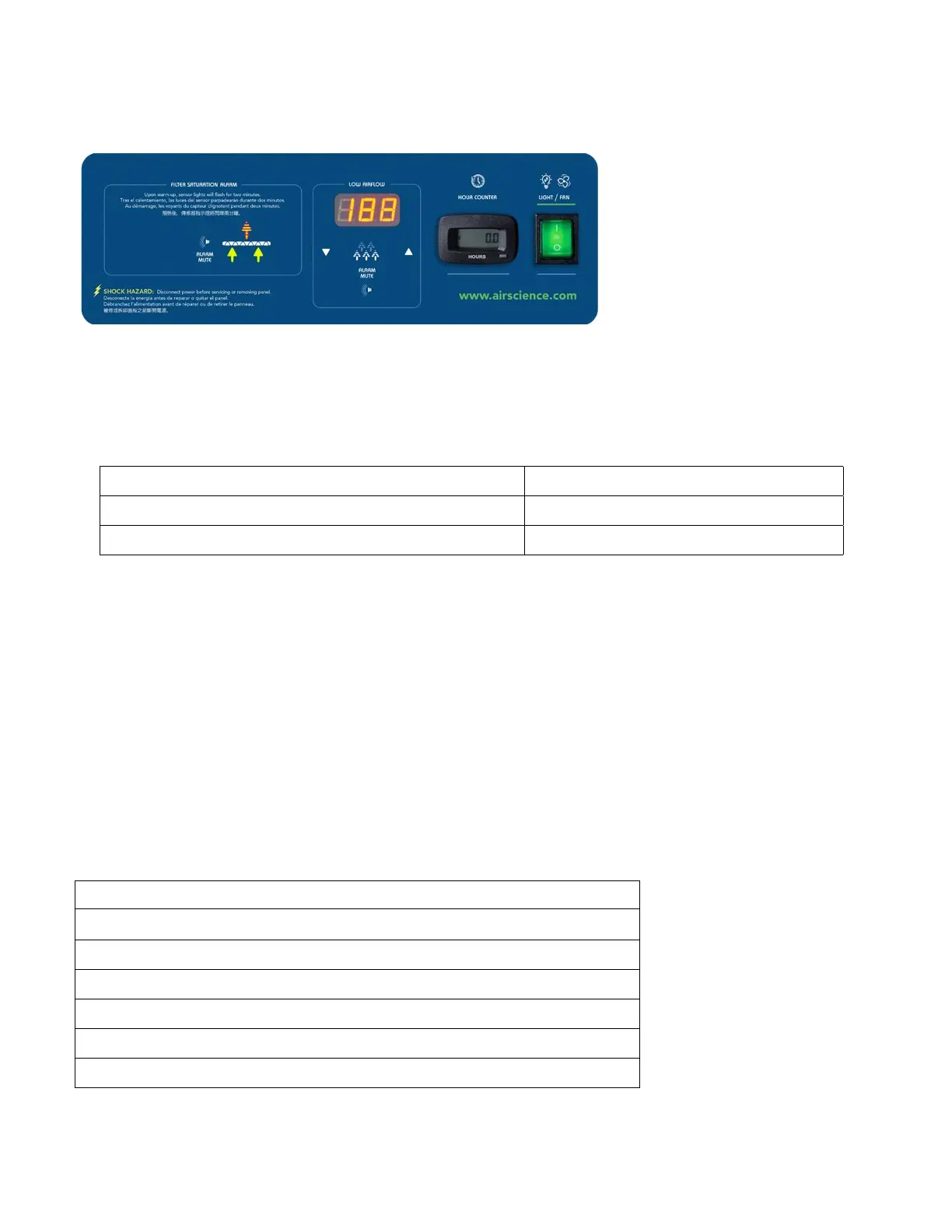
FSA / Autocal Control Panel (Optional)
The optional FSA/Autocal controllerdisplaystheairowandofferslimiteddetectionoflowconcentrations
ofhydrocarbon,somegasesandorganicacids.Audioandvisualalarmsalertuserstoltersaturationandif
theairowreachespresetthresholds.AnHourCounterwithpresetalarmintervalsforpre-lterandmainlter
change out is also included.
Calibration Procedure
CUSTOMER:
Triangle Electronic Controls Ltd
PRODUCT:
AutocalLedAirowAlarm
DATE:
03/05/12
ISSUE:
2
PROCEDURE NUMBER:
CL00037
APPROVED:
DJP
1. Power up unit.
2. To set nominal run point, press and hold the mute key for 4 seconds; when an audio beep
is observed, release the mute switch.
3. Usingacalibratedanemometer,settheairowtothedesiredvelocity.
4. Using the up and down arrows, set the display to read that reading.
5. Press the mute switch once to store calibration point.
6. To set an alarm point, press and hold the mute switch then press and hold the up arrow key
for 4 seconds; after audio beep release both switches.
7. Set the display using the up and down arrows to the desired alarm point, in 0.05 m/s increments.
8. Press the mute switch once to store the alarm point.
9. TodisplayinFPMremoveLK1,todisplayinm/stLK1.
CONNECTIONS PL2
PL2 ANEMOMETER PIN 1 RED
PL1 POWER PIN 2 BLUE
PL3 VOLTFREE CONTACT PIN 3 YELLOW
PL3 PINS 1 & 2 N/O
CLOSED ON ALARM


 To Next Page