Air Science
®
120 6th Street \ Fort Myers, FL 33907 \ T 239-489-0024 \ Toll Free 800-306-0656 \ F 800-306-0677 \ www.airscience.com
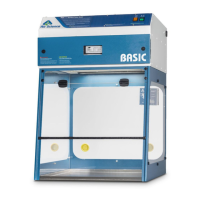
22 \ USER OPERATION MANUAL: Purair Basic Series
Monitair Control Panel Calibration
» Hold in CAL button while applying main power to the cabinet.
» Release the CAL button when two beeps sound.
» After the second audio beep, the message SET FAN SPEED will appear on the LCD display.
» Allow the system to run for a minimum of 15 minutes to stabilize and permit the gas sensor to reach its
running temperature.
» Using a calibrated handheld anemometer, set the average face velocity to the required setting 0.5 m/sec
by using the qp keys.
» When the required velocity has been set and allowed to stabilize, press the CAL button and the display
willshowairowinm/sec(0.00).
» Use the fan qp to set the display to read the same as the measured VELOCITY (0.50).
» When the desired reading has been achieved, press the CAL button again to store the setting.
» The system will now return to the main display screen.
» To enter the main menu, hold the menu option switch for more than 4 seconds and the following
submenu will appear:
AIRFLOW UNITS
SET FILTER ID
ALARM SET TIME
ELAPSED TIME
VIEW SYSTEM DATA
EXIT
» To view or change any of the parameters above, select and follow the onscreen instructions.
» LCD backlight contrast can be adjusted by turning VR1 on the display PCB.
» Theairowunitcanbechangedfromm/sectoFPMviatheairowunitsinthemenusection.
» Wheninnormalrunningmode,theairowcanbealtered;onepressofqp will decrease or increase the
set point by 0.05 m/sec.


 To Next Page