Air Techniques, Inc.
Page
10
Important Information
7.1 Computer System Required Components
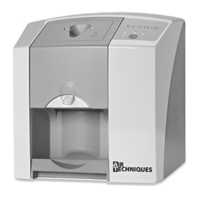
The minimum computer system, computer and monitor, requirements necessary to operate ScanX Swift
are listed below.
Operating System: Microsoft Windows 7 Professional, Enterprise, or Ultimate with
Service Pack 1 for an Intel 32-bit or an Intel 64-bit extended (x64)
processor;
Microsoft Windows 8.1 Professional or Enterprise for an Intel 64-bit
extended (x64) processor; or
Microsoft Windows 10 Professional or Enterprise for an Intel 64-bit
extended (x64) processor.
CPU/Speed: Pentium-4, 1.4 GHz or faster required.
USB Port/Version: USB 2.0 or later
Hard Drive: 2 GB (1 GB available disk space required to start scanning.)
System RAM: 1 GB
Image Management Compatible authorized third-party software
Software: (not included with product).
Optical Drive: Device capable of reading a CD-ROM required
7.2 Recommended Components
The items listed below are recommended (but not required) computer system components to aide in
ScanX Swift operation
Monitor SVGA 24”, 1280 x 1024 or higher resolution, contrast ratio
10,000:1, .22 dot pitch
Video Display Adapter: 32 MB RAM
Peripherals: Standard Keyboard & Mouse
Backup Device
External Surge Protector
Power supply backup
7. Computer System Requirements
ScanX Swift must be connected to a compliant Computer System supplied by the customer. Optional
Imaging Software (PACS) can be used for enhanced features.
Smooth operation of Air Techniques hardware and software can be affected through specic hardware and
software incompatibility on site at the client despite meeting system requirements. In this case, Air Techniques
cannot guarantee smooth and trouble-free operation of the Air Techniques hardware and software.
Where further systems are connected to the PC please note that this may change the system requirements.
Observe the system requirements for all connected systems.


 To Next Page