Page
9Air Techniques, Inc.
Important Information
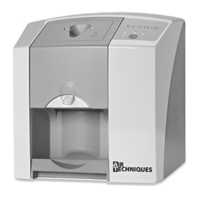
6.1 Controls and Indicators.
1. Plate The plate serves as the exposure medium for X-rays and stores the image data.
2. Barrier envelopes Barrier envelopes protect the patient from infection by contaminated plates.
Reduces the risk of damage to the plate in the patient’s mouth.
Protects the plate from contamination and dirt.
Prevents image data on the plate from being erased.
3.
Operational LED
indicators
General information concerning the operating state of the device is displayed.
Green LED
Indicates unit is ready for operation when illuminated green.
Blue LED
Indicates data communication not in process when illuminated bright blue.
The unit is idle - no communication with software.
4.
On / Off button
Operating power control switch
Switch on: Press the On / Off button.
Switch off:
Press the On / Off button for 2 seconds. ScanX Swift shuts down, the
green and blue LEDs blink alternately.
5. Status LED indicators Displays information on status of plate transport.
Red LED: Fault
Yellow LED: System busy processing a plate.
Green LED: Plate scanning may be started.
6. Inlet guide
Size #0 and Size #2 Inlet Guides are provided with unit. Used for proper input
alignment of corresponding plates to be processed.
The Size #0 guide accepts Size #0 PSPs.
The Size #2 guide accepts both Size #1 and Size #2 plates.
7. Inlet guide lock
Unlocks the guide for removal from unit for cleaning and disinfection or to
change to a different guide allowing ScanX Swift to accept different size PSPs.
8. Plate Outlet Pad After scanning and erasure, plates fall into the detachable plate outlet pad.
9. Interior image transport
Inside the unit the plates are transported through the film scanning and film
erasure units.
10.
Intake slot The plate is inserted into the plate transport and into the device.


 To Next Page