Air Techniques, Inc.
Page
20
Operation
Use of the optional Transfer Storage Box is recommended to protect data
loss when performing batch processing.
13.6 Preparing Multiple Exposed Plates for Batch Scanner Processing.
Use the optional Transfer Storage Box when performing batch processing. Keep the exposed plate
away from light once removed from the barrier envelope. Always keep the sensitive side away from
any light source to minimize image loss.
1. Disinfect the Barrier Envelope (with plate still inside) by washing with disinfectant hand soap and
water. Dry the Barrier Envelope thoroughly.
2. Remove gloves and wash any powder from hands. Powder on a PSP will degrade the image, and
an accumulation of powder in the scanner will lead to degradation of scanner performance.
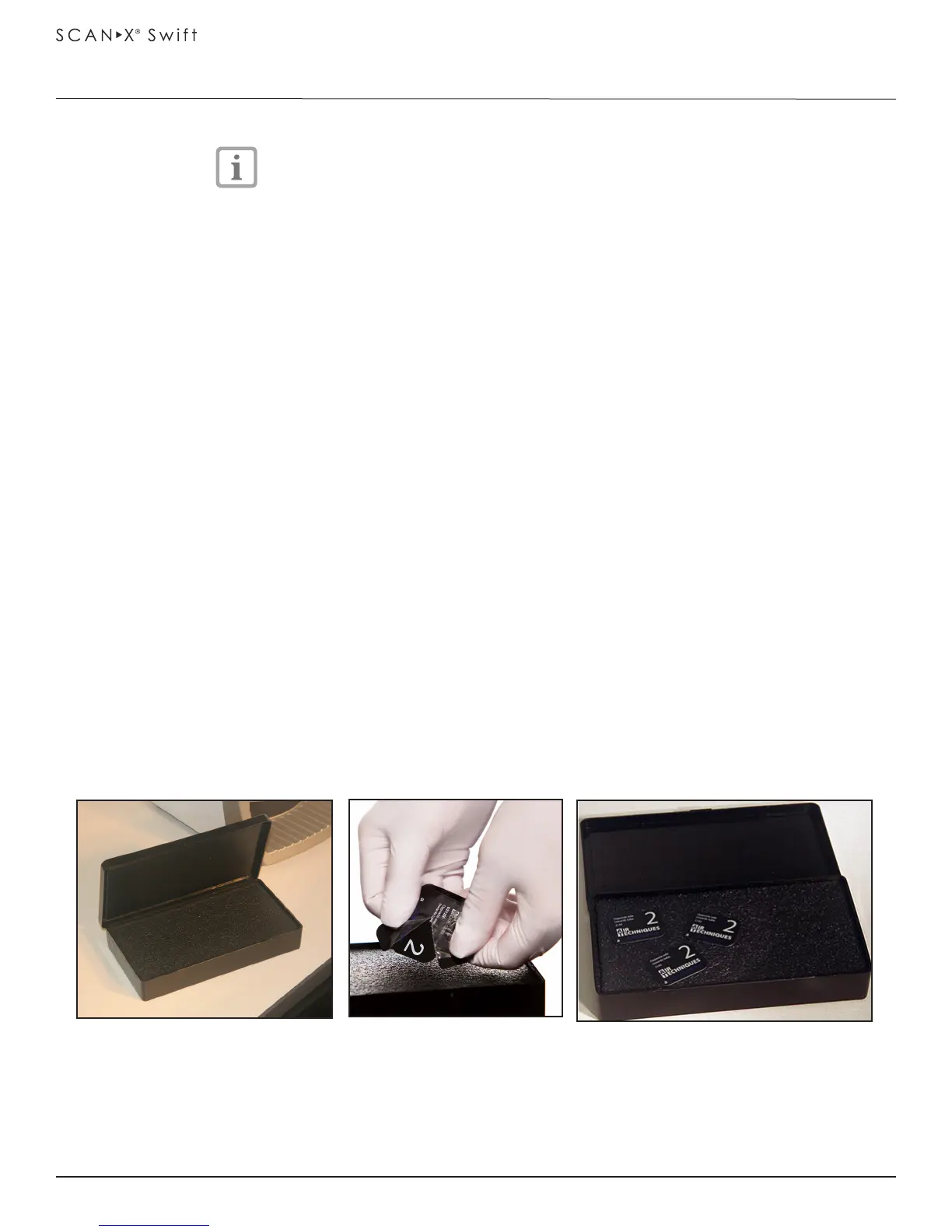
IMPORTANT: When using optional transfer box, be sure that the sensitive side of the PSP is facing down
as it lands on the in the box (See Figure 13-4, View C). If the plate is not sensitive side down, TURN IT
OVER IMMEDIATELY. Failure to do so may result in erasure of the PSP.
3. Lay the box on a flat surface near the ScanX Swift as shown by Figure 13-4, View A.
4. As shown by Figure 13-4, View B, remove the exposed PSP from its washed and dried envelope
as follows:
a. Hold the enveloped exposed PSP, with the printed side facing up, parallel to and about an inch
above the Transfer Storage Box or some other container or cover.
b. Tear the envelope lengthwise starting at the notch to eject the PSP onto the box or surface.
5. As shown by Figure 13-4, View C, the PSP is now ready to be scanned to read the image from
the PSP by performing scanning procedures.
View A Empty Transfer box
View B
Ejecting PSP to Transfer box
View C PSPs ready for Scanning
Figure 13-4. Preparing the Exposed Plate for Scanning


 To Next Page