Air Techniques, Inc.
Page
26
19.1 Replacement Parts.
The following lists the ordering number and description of available external parts that can be replaced by the
user to keep the ScanX Swift operational. Please note that only a trained dealer technician should perform
service that requires replacement of internal parts. Contact your authorized dealer for information.
Description Quantity Order Number
24V, Power Supply Adapter 1 G8115
6-Foot USB 2.0 Cable 1 B3554
Dust Cover 1 G8150
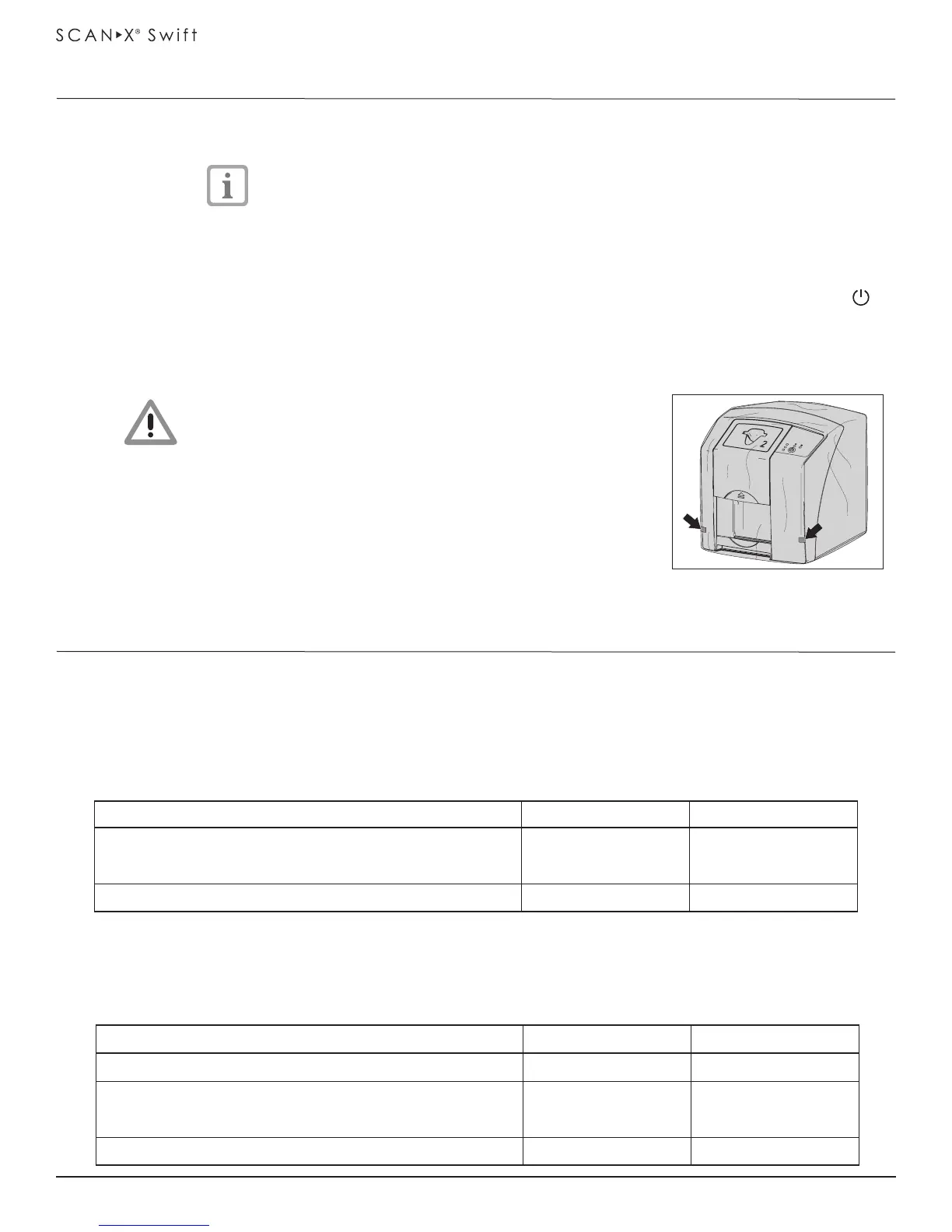
18.2 Protective dust cover installation.
Pull the protective cover, with the yellow marking towards the
front, forwards over the unit until it is completely covered.
Store the protective cover in a clean dry place when not in use.
Never power down the system during a scanning session.
18.1 Powering Down System.
ScanX Swift is designed to be left on continuously during the active day. At the end of the day, or
whenever desired, power down the system as follows:
1. Switch the ScanX Swift from ON to Standby by pressing and holding the ON/OFF button ( )
on the Control Panel for approximately 2 seconds, until the green LED extinguishes.
2. Remove the main power to ScanX Swift by disconnecting the power supply adapter plug from
the main power outlet socket.
CAUTION
Danger of suffocation
Keep the protective cover away from children.
18. Device Shutdown and Storage
19.2 Accessory and Consumable Parts.
The following lists the ordering number and description for accessory components and consumable items
available to use and maintain the ScanX Swift to meet your professional needs. Contact your authorized
dealer for information.
Description Quantity Order Number
15-Ft Computer Connector Cable, USB 1 B5027
ScanX Swift Cleaning Sheets 12 G8030
25 G8035
Barrier Film 1 roll of 900 sheets G8195
Parts
Storage
19. Replacement and Accessory Parts
Figure 18-1.
Protective Dust Cover


 To Next Page