Air Techniques, Inc.
Page
24
17. Troubleshooting
Repair work, above and beyond the standard maintenance, should only be performed by qualified
technicians or our service technicians.
Problem Probable cause Solution
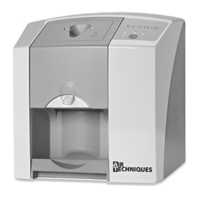
1. ScanX Swift does not
switch on
• No power to unit • Check the power supply adapter and associated
connections
• Check the main fuse box to building
• On/Off switch defective • Inform your Service Technician
2. ScanX Swift quickly
switches off again
• Mains cable or one of the plugs
has not been inserted correctly
• Check the mains cable and all connections
• Mains supply voltage too low • Check the supply voltage
• Hardware defective • Inform your Service Technician
3. Status or operation LED
does not light up
• LED defective • Inform your Service Technician
4. Loud noises during op-
eration after switching on
• If the noises persist longer than
30 seconds, then the motor is
defective
• Inform your Service Technician
5. Image editing software
does not recognise
ScanX Swift
• ScanX Swift not switched on • Switch on ScanX Swift
• Connecting cable between
ScanX Swift and PC loose
• Check the USB cable
• PC does not register connec-
tion to ScanX Swift
• USB-driver not installed or inactive
• Check the USB cable
• Hardware fault • Inform your Service Technician
6. ScanX Swift does not
react
• ScanX Swift has not completed
start procedure
• Appliance needs 20-30 seconds to completely
switch on.
Try again when Ready LED illuminates Green.
7. X-ray image does not ap-
pear on the monitor after
scanning
• Plate has been fed backwards
and the inactive side scanned
• Re-scan the plate as quickly as possible
• Image data on the plate has been
erased, e.g. by ambient light
• Image data on the plate must be scanned as
quickly as possible after extraction
• No image data on the plate • Expose plate.
• X-ray device is faulty • Inform your Service Technician
• Problem with the hardware • Inform your Service Technician
8. X-ray too dark / light • Incorrect brightness/ contrast
setting in the software
• Set brightness of radiograph using software.
• Exposed plate subject to effects
of ambient light
• Use barrier envelope or transfer box to keep
plate shielded from ambient light until scanning.
• X-ray dose is too low or high • Check X-ray parameters
Troubleshooting


 To Next Page