Air Techniques, Inc.
Page
18
Operation
13.2 Scanner Start Up.
Switch on PC and monitor.
Switch on the ScanX Swift at the On/Off switch.
After switching the unit on the ScanX Swift needs to go through initialization.
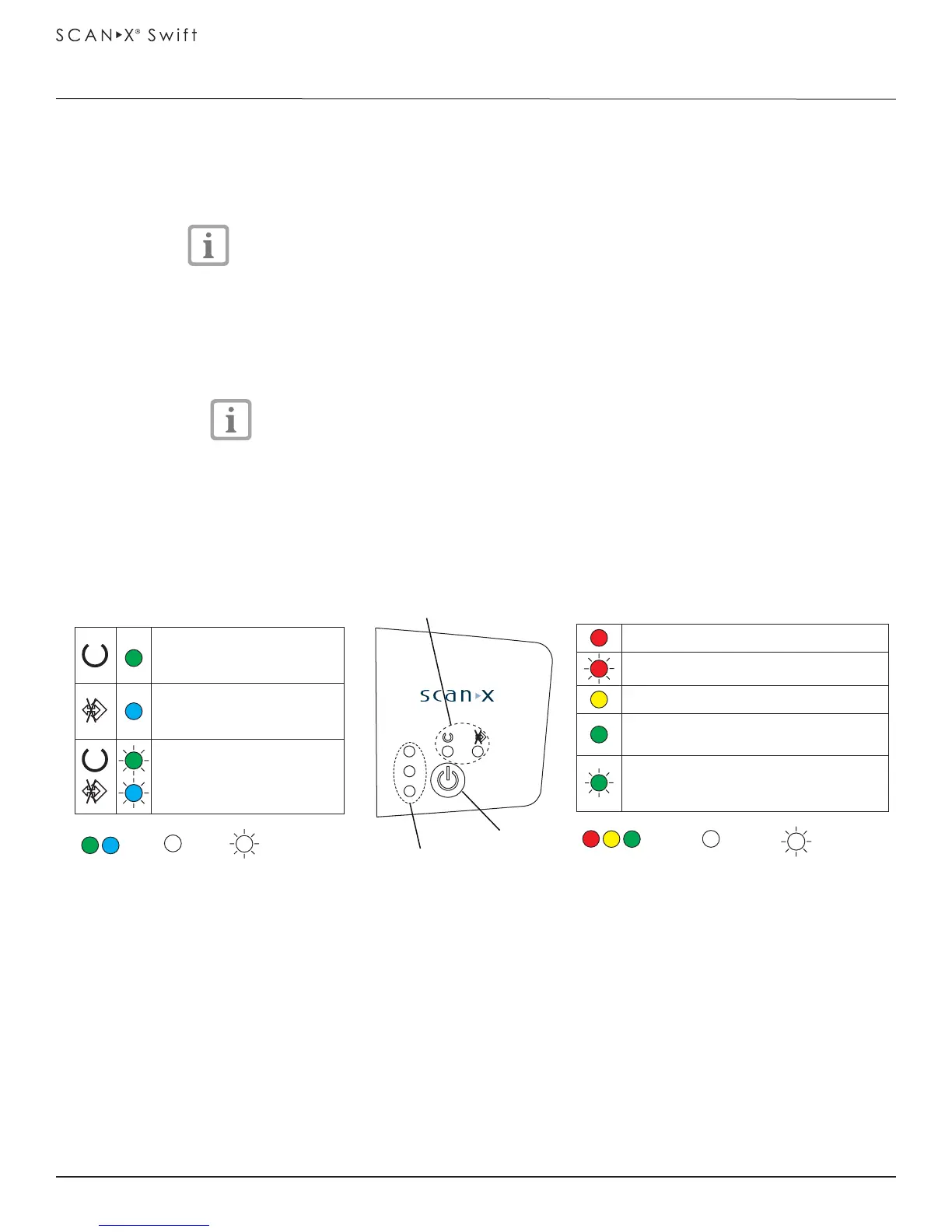
Ready for operation mode is shown by the green Ready LED being lit.
Start software.
Select the correct patient.
Set desired resolution.
Ready LED and status LED are both green.
The green Status LED blinks while the ScanX Swift is being activated by
imaging software. As soon as the unit is ready for use, the Status LED
lights solid green.
When the On/Off switch is pressed for 2 seconds then the unit shuts down.
There may be a slight delay (green and blue LEDs blink alternately). The
unit will shut down completely. Do not move the scanner during this phase.
13.3 Scanner Plate Processing Options.
Using the ScanX Swift, the user has the option to perform single plate processing or batch processing
depending on their needs. The difference between the two processing procedures is mainly how the
plates are handled. Refer to paragraphs 13.4 and 13.5 to perform single plate processing. Paragraphs
13.6 and 13.7 provide the batch processing procedures.
Operational LEDs
Ready for operation
Idle - no communication
with software
Shut down in process
On Off Blinking
Status LEDs
Problem
Missing inlet guide
Plate currently being processed
Film feed slot ready; the next plate
can be inserted
Being activated by imaging software
On
Off
Blinking
On / Off
button
Operational LED
indicators
Status LED
indicators


 To Next Page