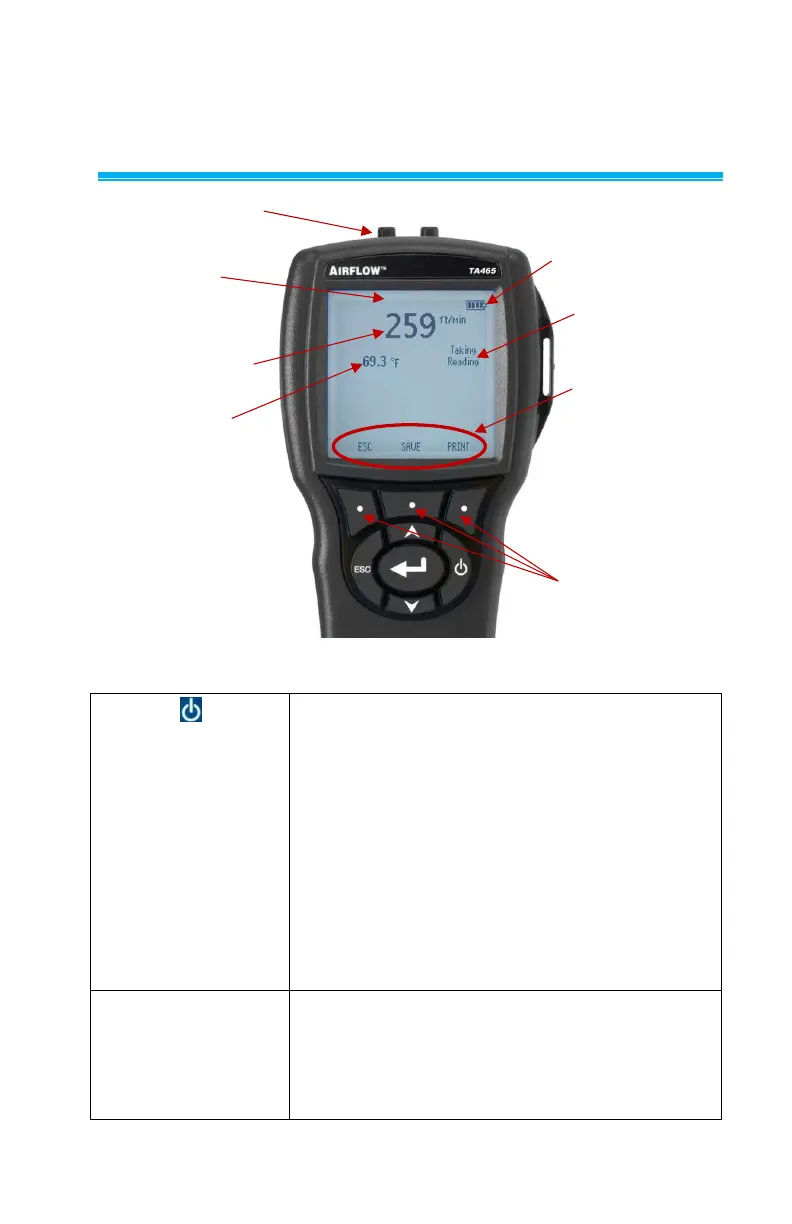
Press the ON/OFF key to turn the Model TA465 on
and off. During the power up sequence the display
will show the following: Model Number, Serial
Number, and Software Revision. To turn the
instrument off, press and hold the ON/OFF Key for 3
seconds. The instrument will count down (OFF2,
OFF1, OFF). If AC Adapter is attached, the Battery
and ON/OFF Key is bypassed. If the ON/OFF Key is
pressed while the AC adapter is attached, the
attach the AC adapter or press the ON/OFF Key.
Press to scroll through choices while setting a
parameter. Pressing the keys simultaneously
will lock the keypad to prevent unauthorized
adjustments to the instruments. To unlock the
keypad, press the keys simultaneously.



 To Next Page