EasyManua.ls Logo

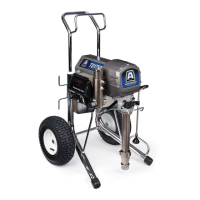
AIRLESSCO ALLPRO 910E - User Manual

AIRLESSCO ALLPRO 910E
36 pages
Print Icon
To Next Page IconTo Next Page
Loading...
AIRLESSCO - SL810, 1100, 1500
ALLPRO - 910E & 1110E
Form No. 001- 493 JUN07
AIRLESS PAINT SPRAYER
SERVICE/OPERATION
MANUAL

Questions and Answers

  • L
    Lisa BryantSep 12, 2025
    Why AIRLESSCO ALLPRO 910E leaves craters or bubbles on work?
    • Z
      zsmithSep 12, 2025
      If you're seeing craters, pock marks, or bubbles on your work with the AIRLESSCO Paint Sprayer, it could be a solvent balance issue. Use 1 to 3% “short solvents remainder “long” solvents. This is most likely to happen with material of low viscosity, lacquers, etc.
  • A
    Alexis BarkerSep 14, 2025
    What to do if AIRLESSCO ALLPRO 910E screens are clogged?
    • J
      Jo DeckerSep 14, 2025
      If the screens of your AIRLESSCO Paint Sprayer are clogged, it's likely due to extraneous material in the paint, coarse pigments, or poorly milled pigments. Clean the screen. Use a coarse screen if the orifice size allows. Use a coarser screen with larger orifice tips. Obtain ball milled paint. If thinner has been added, test to see if a cover screen. Incompatible drop placed on top of paint mixes or flattens out on the paint mixture & thinners on the surface. If not, try a different thinner in a fresh batch of paint.

AIRLESSCO ALLPRO 910E Specifications

General IconGeneral
BrandAIRLESSCO
ModelALLPRO 910E
CategoryPaint Sprayer
LanguageEnglish

Related product manuals