4. Monitor the Image Section
AirLive IP-200PHD-24/IP-200PHD-24B
User’s Manual
50
Audio:
To enable or disable audio function
Mute While PT:
Mute the audio while pan and/or tilt motion
Audio Mode:
To select Simplex or Full duplex (2-way audio) mode
Input Gain:
To adjust gain of input audio
Output Gain:
To adjust gain of output audio
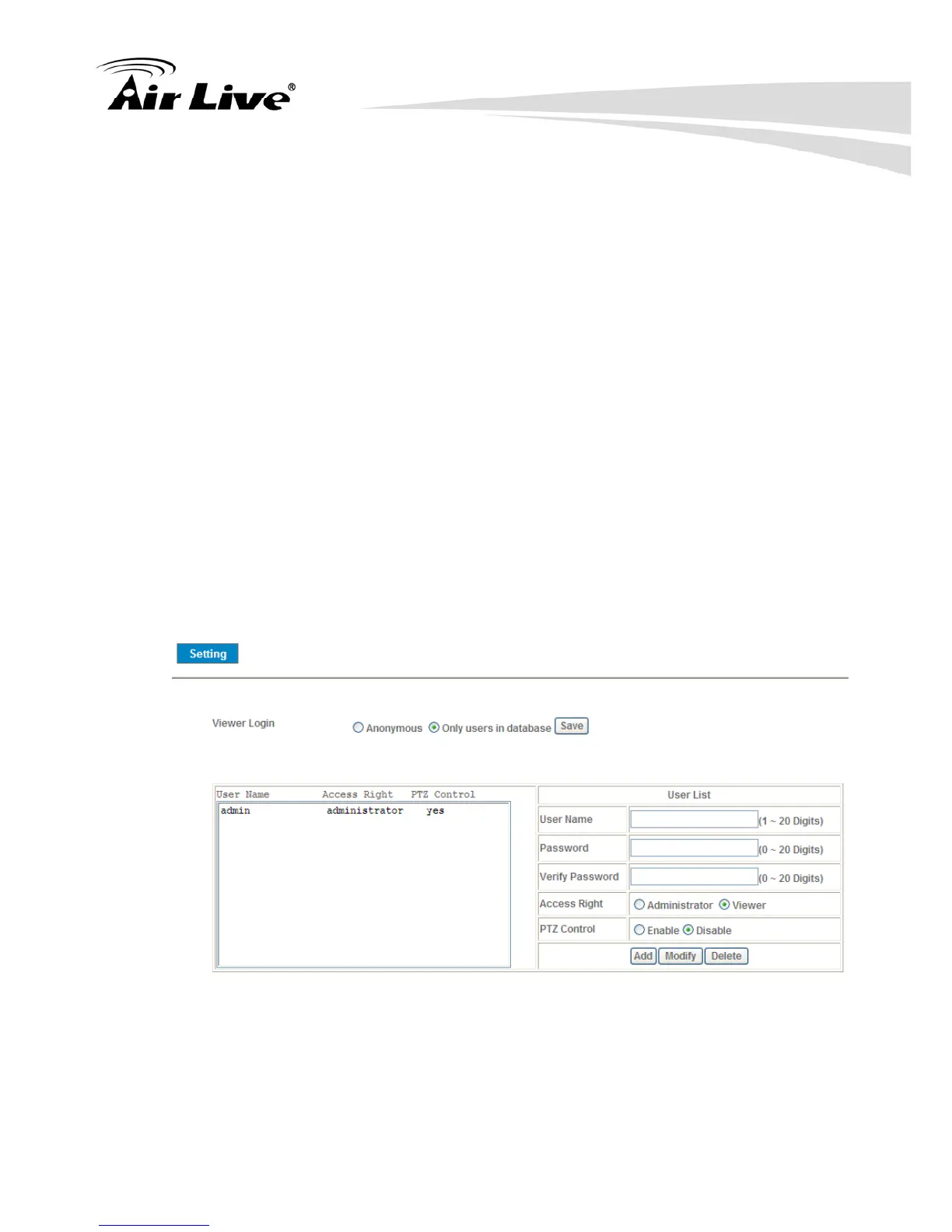
4.6.2 Manage User Name, Password and Login Privilege
Use this menu to add, update, or remove the usernames and passwords of the
Administrator and viewer.
Viewer login:
Select “Anonymous” to allow any one viewing the video once connected.
Otherwise, only users in database can view the video after login.



 To Next Page