4. Monitor the Image Section
51AirLive IP-200PHD-24/IP-200PHD-24B
User’s Manual
Access Right:
Administrator can access every function in this device. However, Viewers only
can view the video and access limited function.
PTZ Control:
Authorize this user to control PTZ function or not.
Add, update, and remove of Users account:
Manage the user’s account of viewer user.
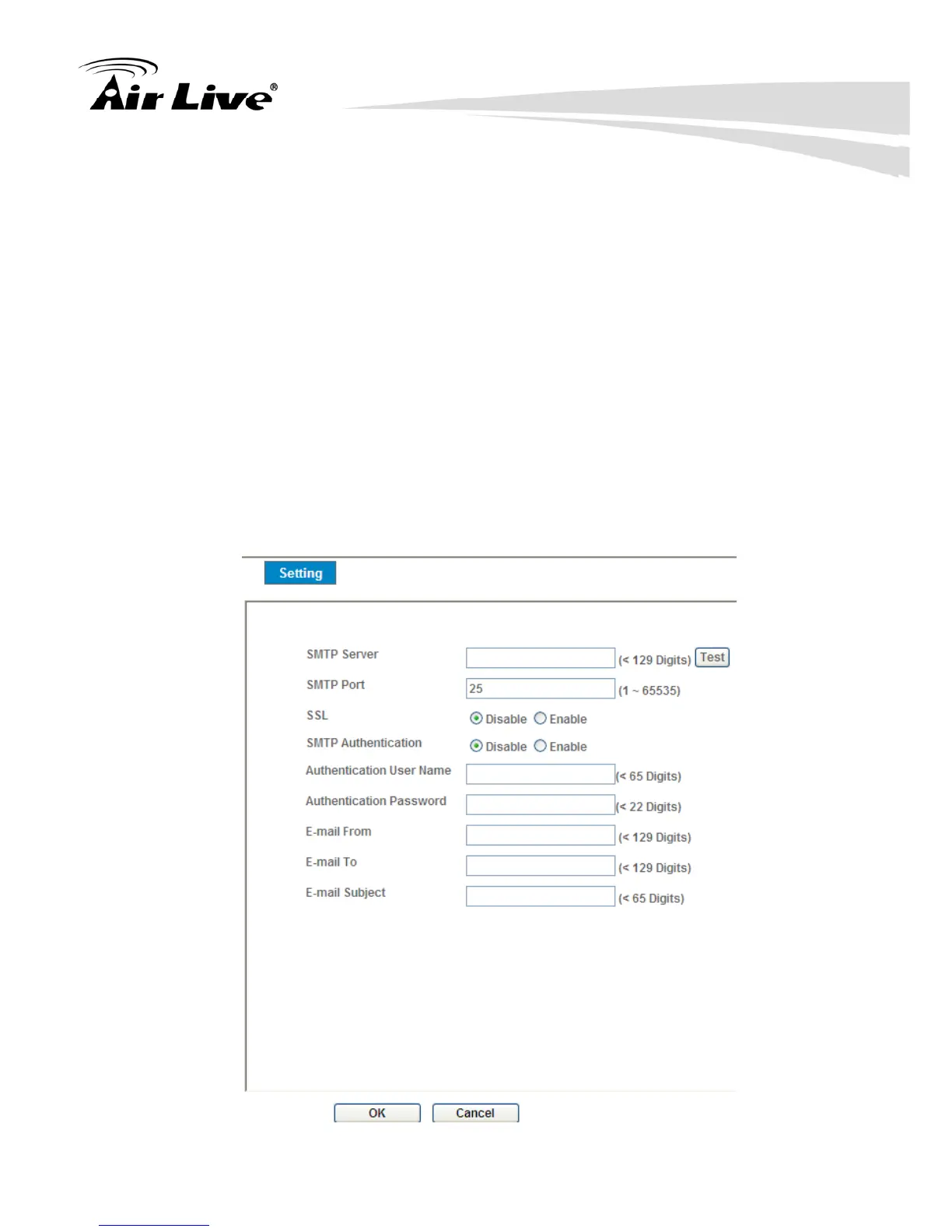
4.6.3 E-Mail
You may setup SMTP mail parameters for further operation of Event Schedule.
That’s, if users want to send the alarm message out, it will need to configure
parameters here and also add at least one event schedule to enable event
triggering.



 To Next Page