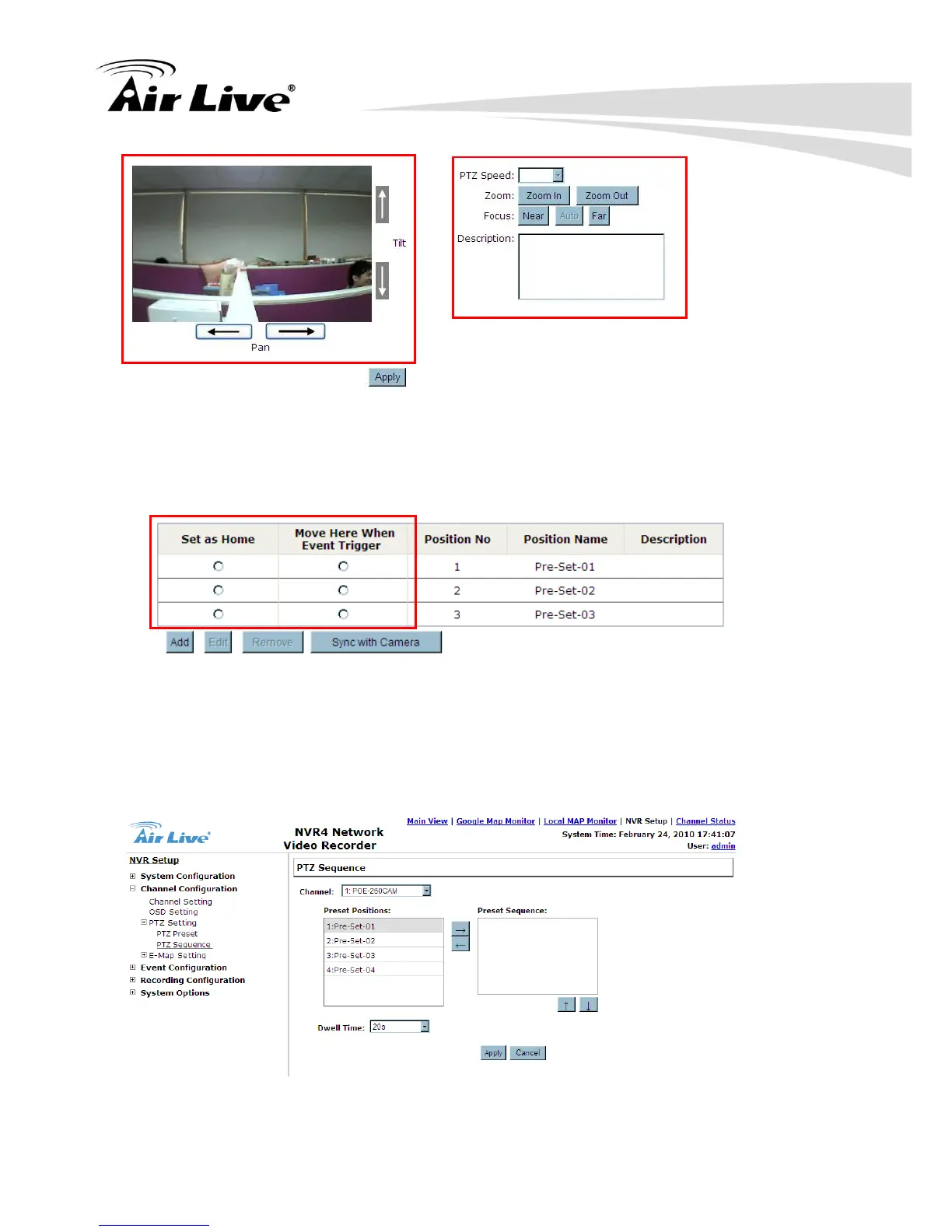
d. Click “Apply” to save the configuration.
e. User can select a specific point as the HOME position, and a specific point as the
reaction against some event was triggered.
5.2.4 PTZ Preset Sequence
Once you have multiple preset points defined for a camera, it is convenient for the user to
set up the sequencing viewing among those preset point and let the NVR automatically
switch between them for you.
To configure preset sequence for a camera, please follow the steps below:



 To Next Page