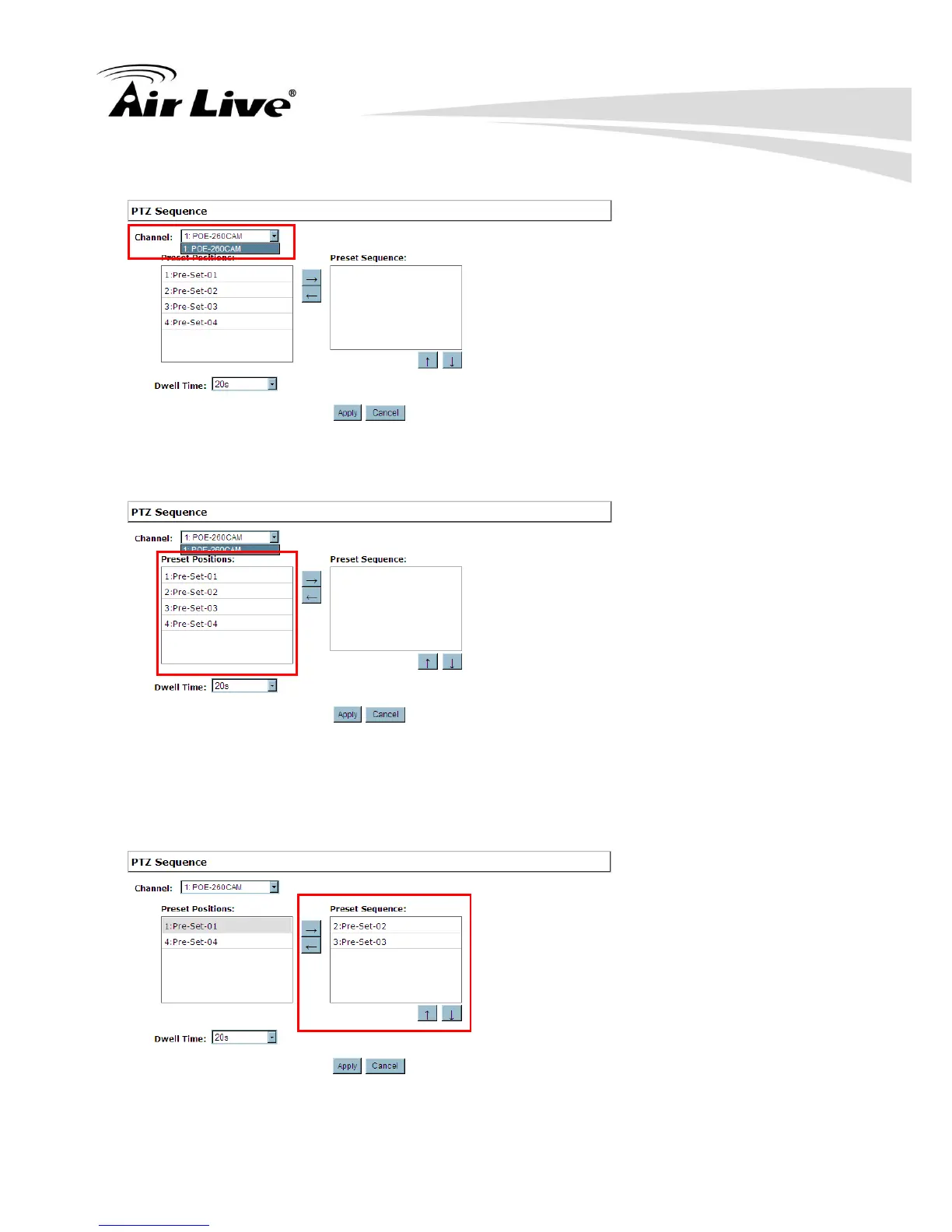
a. Select a channel from the “Channel” drop-down menu.
b. The available preset points should be listed in “Preset Position” area.
c. Pick the ones you like for sequence viewing and press the “->” button to move them to
the “Preset Sequence” section, then use the up and down buttons to adjust their
sequencing positions.
d. Finally, select a dwell time from the drop-down menu and click “Apply” to save the
configuration.



 To Next Page