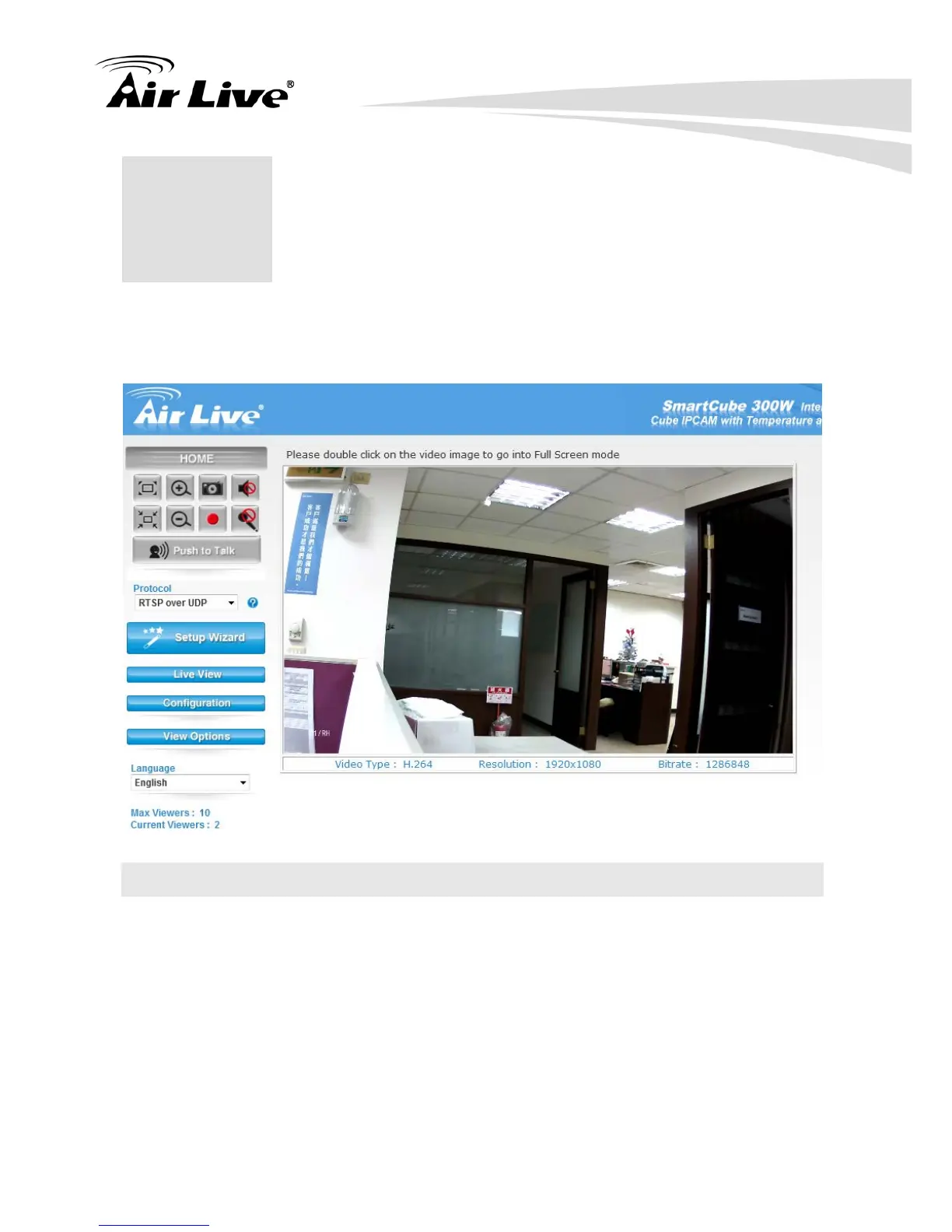
Start-up screen will be shown once you access into the IP camera.
In the left side, you can control Live View function as below:
5.1 Live View
1. Protocol: Select the protocol type:
RTSP over UDP/ TCP/ RTSP over TCP/ RTSP over HTTP.
Please select RTSP over HTTP when connecting to the camera remotely.
2. Setup Wizard: Easy to configure the functions and settings for the camera.
3. Live View: Switch to Live View page
4. Configuration: Click for configuring the detail camera settings.
5. View Options: The device supports multi-profile function for H.264, MPEG4and JPEG
simultaneously. User can choose the proper and/or preferred profile which is listed
here.


 To Next Page