6.3 Audio
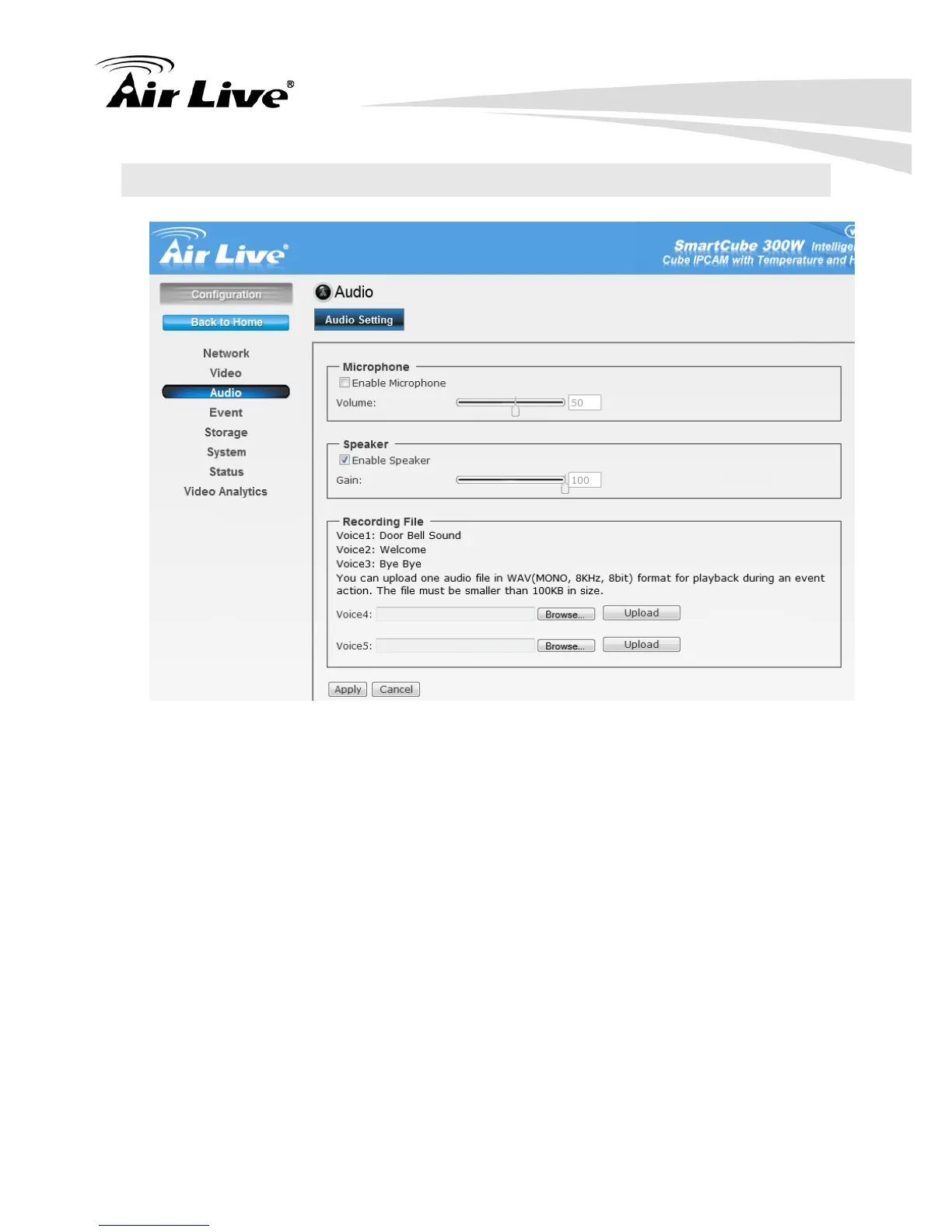
6.3.1. Microphone:
Enable Microphone: Select the option to enable the camera’s audio in function, so
that you can receive the on-site sound and voice from the camera.
6.3.2. Speaker
Enable Speaker: Select the option to enable the camera’s audio out function, so that
the connected speaker can play the sound and voice through the camera.
6.3.3. Recording File: During an event action, you can upload one audio file in WAV
(mono, 8KHZ, <100KB in size) for playback.


 To Next Page