6.5 Storage
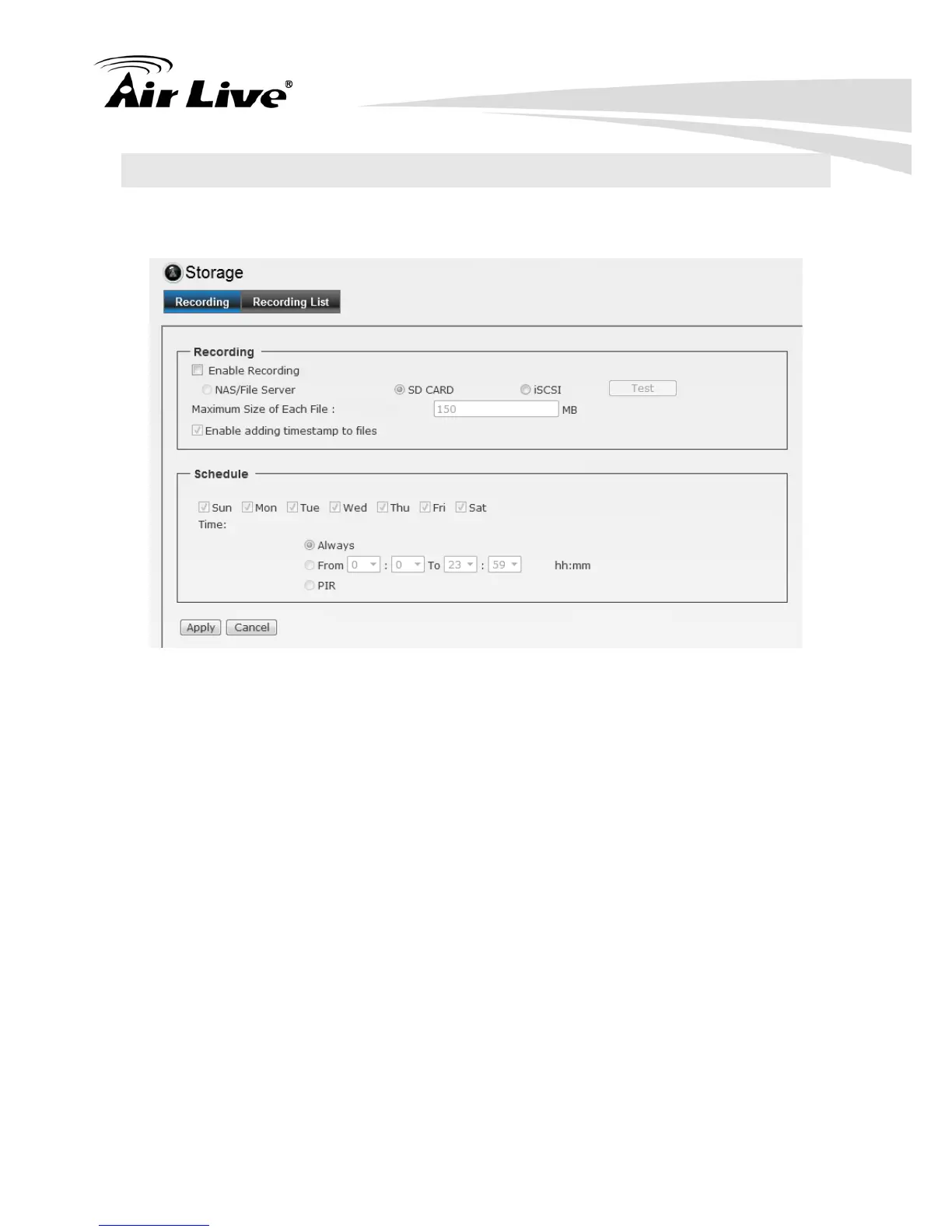
6.5.1. Recording
Recording: Select the option to enable the recording to storage function.
- NAS/File Server: Enter the IP address of the Network Storage/CIFS server.
- Upload Path: Assign the path for uploading the files on the Network Storage/CIFS
server.
- Login Name: Enter the user name to login into the Network Storage/CIFS server.
- Password: Enter the password to login into the Network Storage/CIFS server.
- Maximum Size of Each File: This option allows you to limit the file size to be
uploaded to the server.
- Timestamp: Select this option to add the date & time information on the attachment.
Schedule:
- NAS/File Server: Enter the IP address of the Network Storage/CIFS server.
Schedule: Select “Always” to enable recording continuously or select specific time
period and date to record. When done, click Apply to save the settings.


 To Next Page