6.4 Event
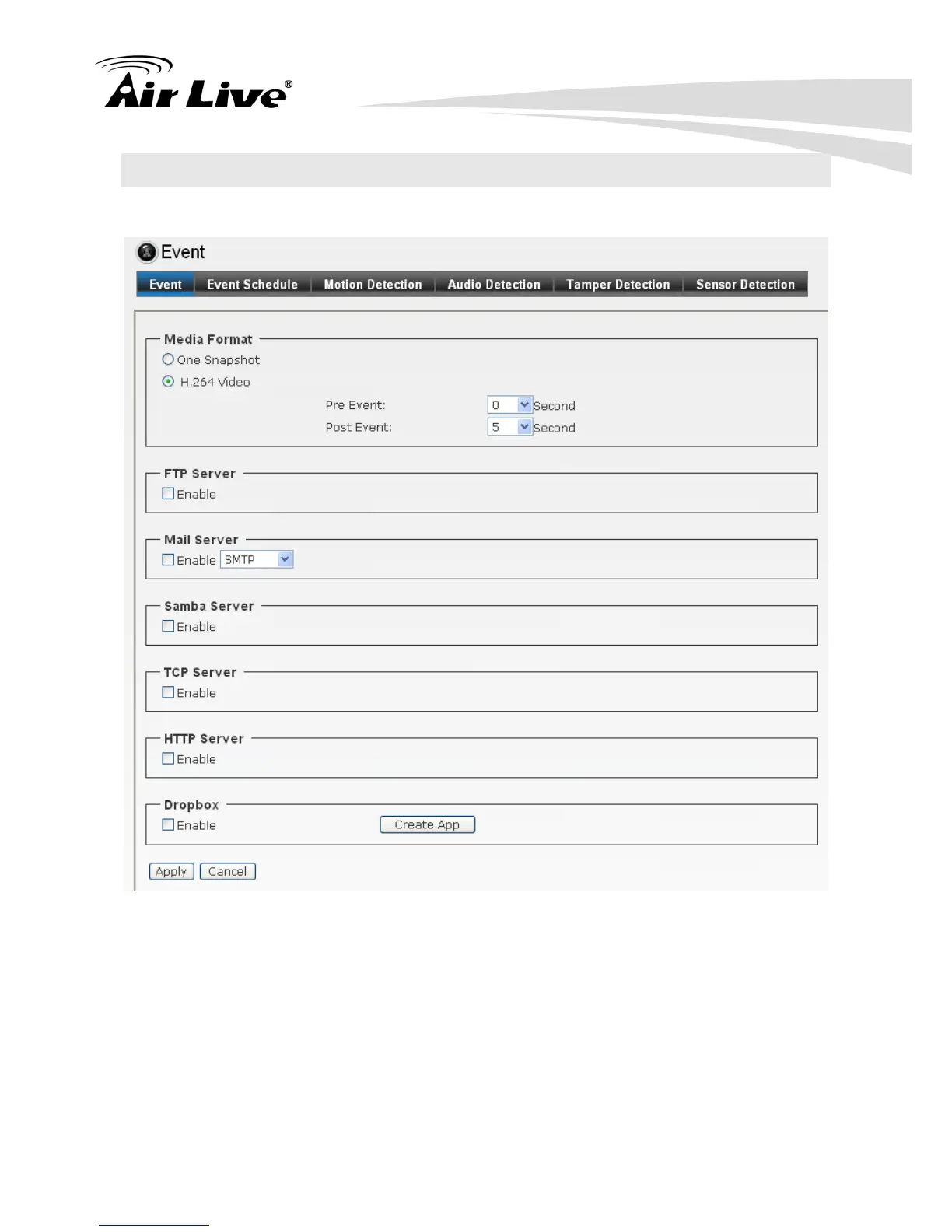
6.4.1. Event
Media Format: Select One Snapshot to send the alarm message with one still
image captured by the camera, or select H264 Video to send the alarm message with
one video clip recorded by the camera.
You can set the attachment that is captured in Pre Event or Post Event time when
the event has been triggered.
FTP Server: Select “Enable” to enable the FTP server function.
- FTP Server: Enter the IP address of the target FTP server.
- User Name: Enter the user name to login into the FTP server.


 To Next Page