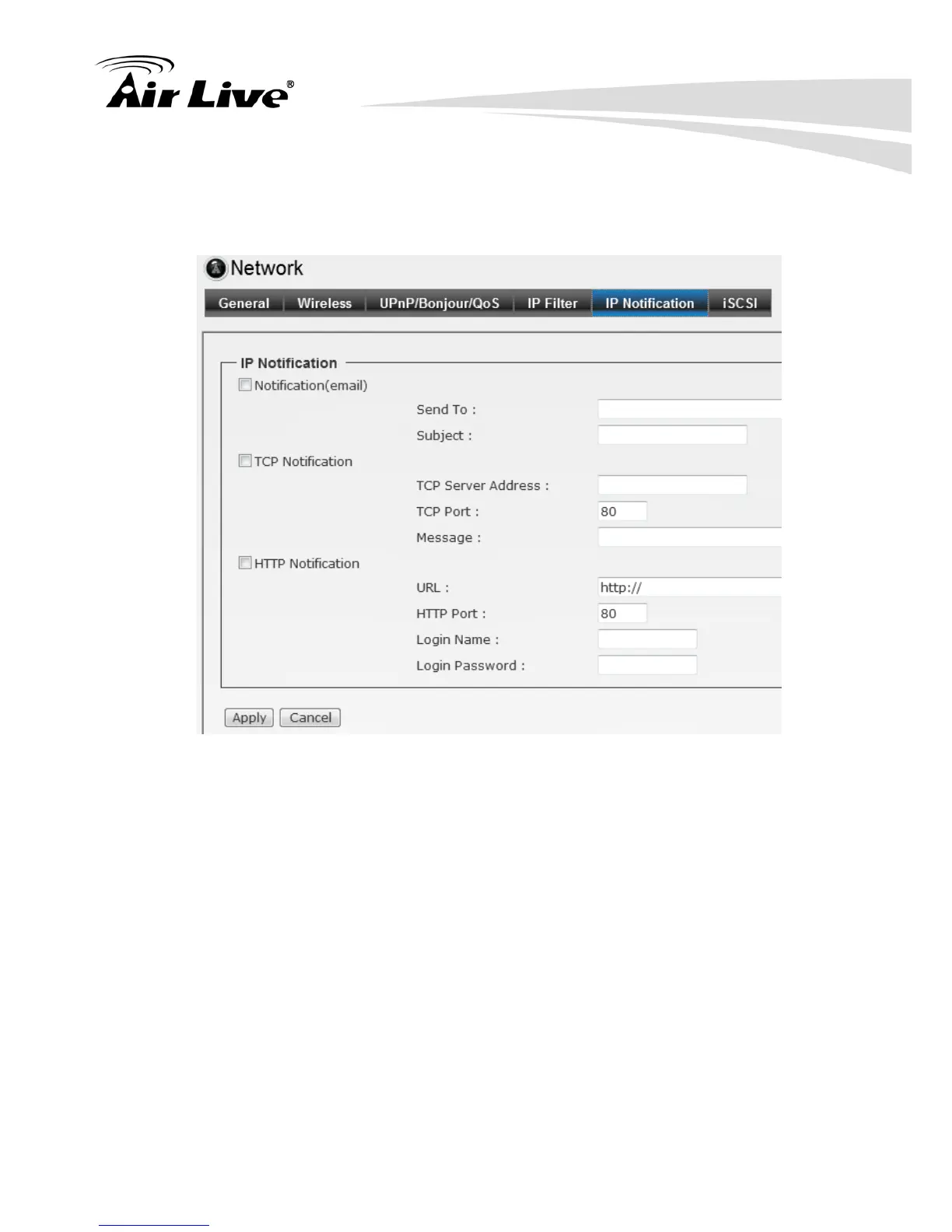
6.1.5. IP Notification
To prevent from the IP address been changed, system is able to send out an alarm.
Configure the email setting first if the function is enabled.
Notification (email): Select to enable this function.
Send To: Type the receiver’s E-mail address.
Subject: Type the subject/title of the E-mail.
TCP Notification: Select to enable this function.
TCP Server Address: Type the server name or the IP address of the TCP server.
TCP Port: Set port number of TCP server.
Message: The message will be sent to FTP server.
HTTP Notification: Select to enable this function.
URL: Type the server name or the IP address of the HTTP server.
HTTP Port: Change it only when needed.
HTTP Login name: Type the user name for the HTTP server.
HTTP Login Password: Type the password for the HTTP server.



 To Next Page