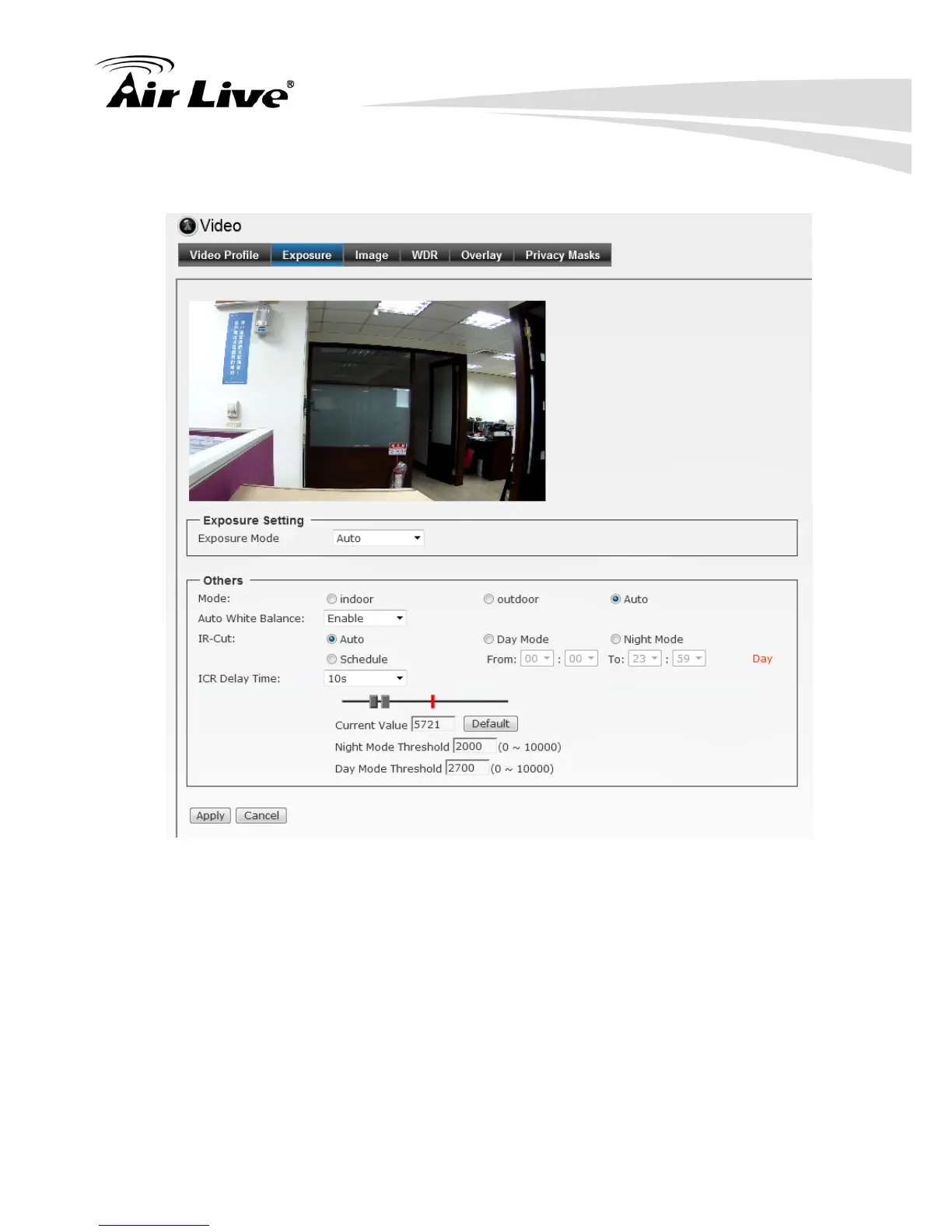
6.2.2. Exposure
Exposure Setting: There are three options (Auto / Manual / Clear Motion). When you
select Manual mode, you can adjust Exposure Value, Exposure Time and Gain value
of the day and night mode.
- Mode: There are three modes (Indoor / Outdoor / Auto) to fit your environment.
- Auto White Balance: You can enable or disable the function.
- IR-Cut: The camera can automatically or manually remove the IR-cut filter to let IR
light into the sensor during low light conditions.
Auto:
Photo Sensor: The camera automatically removes the filter based on the photo
sensor.
Manual: User can use this function to determine the threshold, and the camera
switches between day mode and night mode based on this specified
threshold.


 To Next Page