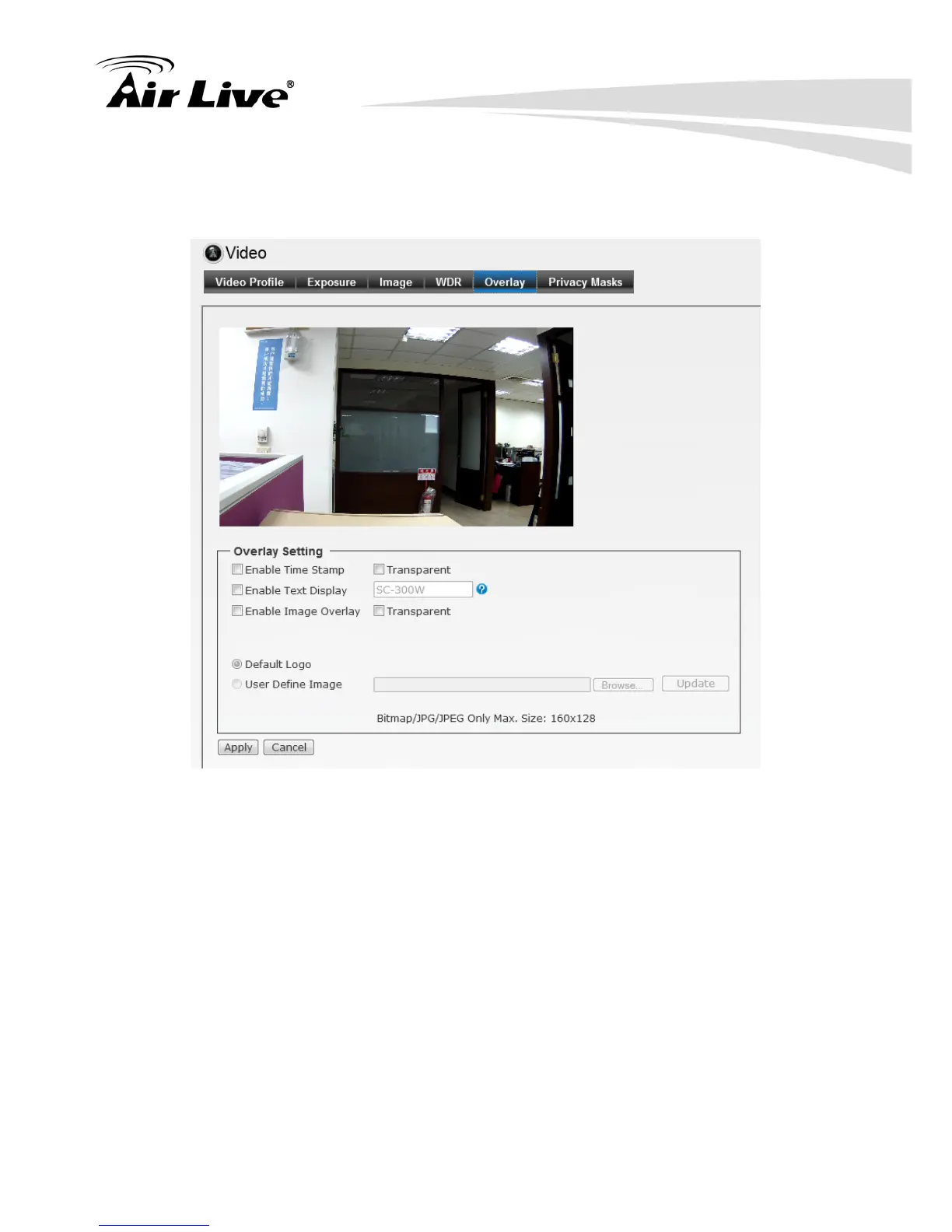
6.2.5. Overlay: This option is used to set the image overlay and mask feature of the
camera.
Enable Time Stamp: Select this option to display the date & time information on
the live view image.
Enable Text Display: Select this option and enter your heading text in the box to
display the text information on the live view image.
Enable Image Overlay: Select Default Logo or User Define Image to display the
image overlay on the live view image.
You can set the displayed image in transparent mode by selecting the Transparent
option and select the background color as white or black.
When you select User Define Image, you can click Browse to select the image file
from your computer and then click Update to apply the setting.
Note: JPG/JPEG file with maximum 65536 bytes.


 To Next Page