Update Firmware: You can upgrade the firmware for your camera once you obtained
a latest version of firmware.
- Current Firmware Version: It displays the current firmware version.
- Update: Click Browse to locate the firmware file and then click Update.
Warning!!!
The download firmware procedure cannot be interrupted. If the power and/or
network connection are broken during the download procedure, it might possibly
cause serious damage to the device. Strongly suggest that DO NOT upgrade
firmware via Wireless LAN due to high error rate possibly and don't allow any other
clients to access this unit during updating procedure. Be aware that you should not
turn off the power during updating the firmware and wait for finish message.
Furthermore, the firmware upgrade procedure always is risk and do not try to upgrade
new firmware if it’s not necessary.
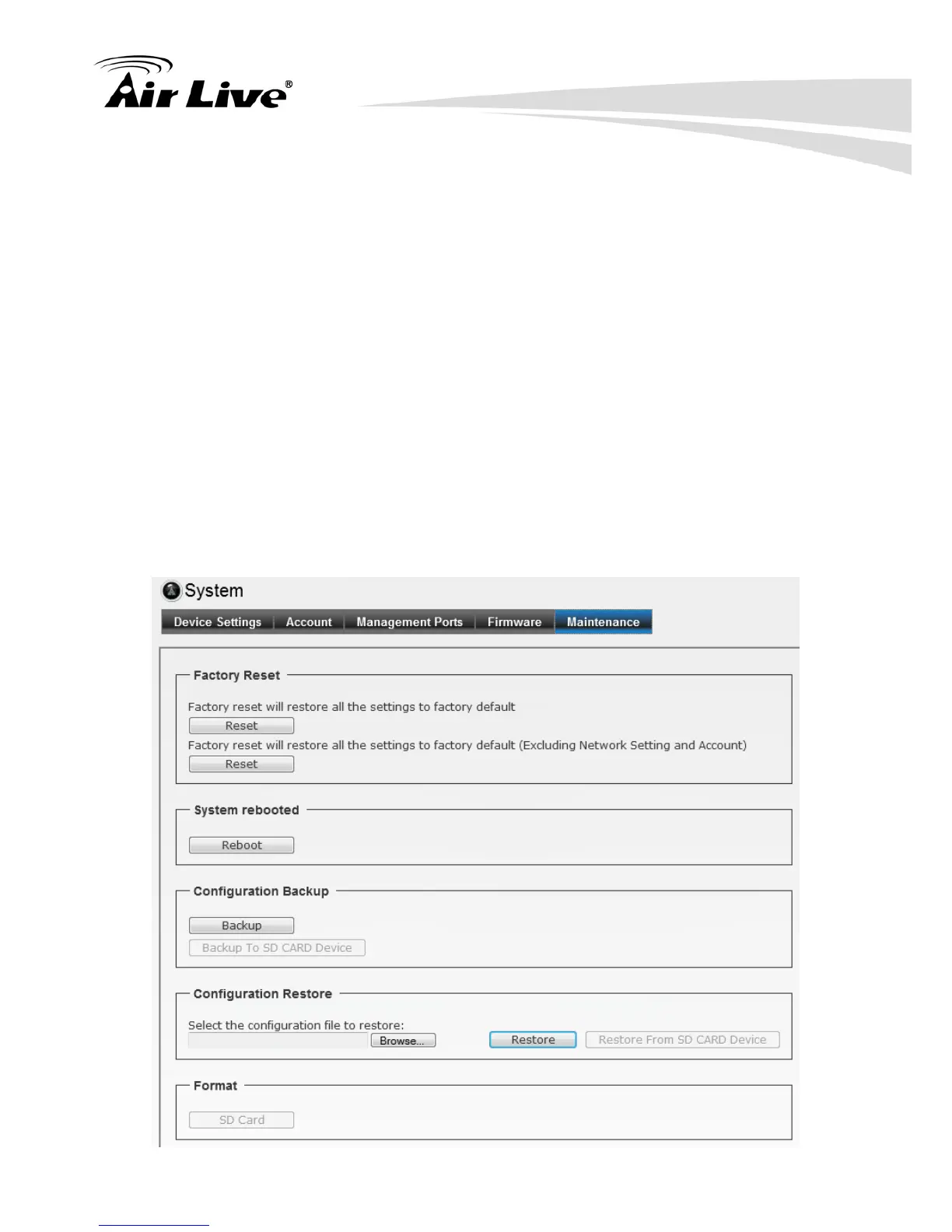
6.6.5. Maintenance


 To Next Page