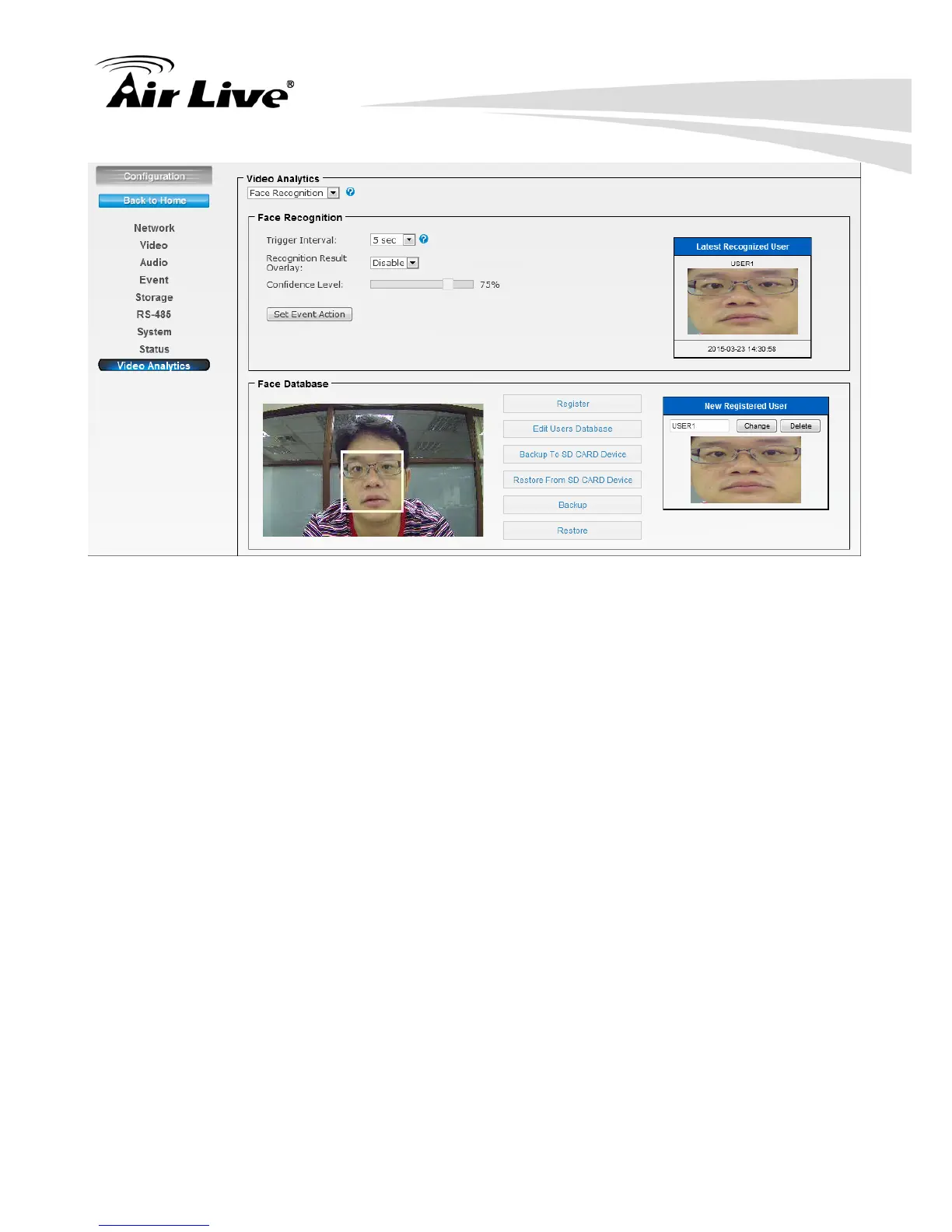
1. Select proper alarm time in Trigger Interval.
2. Select to Enable/Disable the overlay in Recognition Result Overlay. All the detected
face will be shown on the live view screen.
3. Select Confidence Level to set the confidence threshold when compared to the faces
in the database. Confidence level 40~60 is recommended.
4. Set Event Action: Go to the Event Schedule to Add or Edit the IVS event.
5. Register function supports memorizing up to 10 results of face recognition into the
database. Also you can select to edit the database, backup to or restore from the
MicroSD card device.
6. Edit Users Database: You can edit the registered database here. (See below)


 To Next Page