rev0-2011
Operating Instruction & Parts Manual
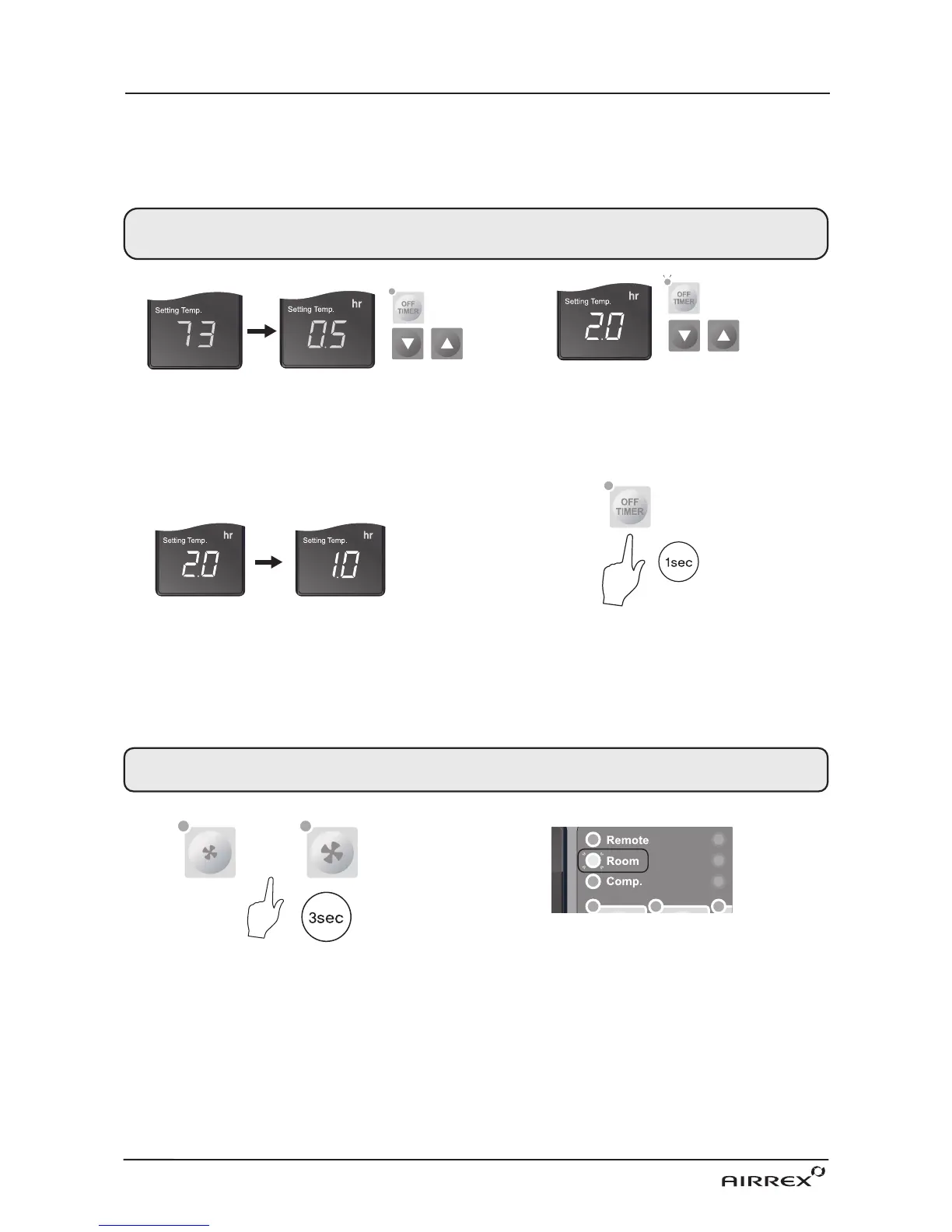
1. When cooler is operating, press the ‘Off Timer’
button and set the length of time you want by
pressing ▲ or ▼. Each time you press the button
you will increase the ‘time to off’period by 30mins.
up to 10 hours, and 1 hour thereafter up to 24 hours.
The display will show .5 for 30min and 1 for an hour.
e.g. One and a half hours will show 1.5.
2. When you have finished setting the time period, the
‘Off Timer’lamp will be on which indicates the cooler
is in sleep (Off Timer) mode.
HOW TO SET THE 'OFF TIMER'
This function enables you to set the length of time you want the cooler to operate.
You can set the time period from 30min. to 24 hours in 30min. and 1 hour increments.
OFF TIMER LAMP IS ON
3. If you press the ‘Off Timer’button during its
operation, the remaining time will be shown.
4. To CANCEL timing, press and hold‘Off Timer’button for
ONE second. It will then switch the timer off automatically.
AFTER 1
hr
1. In "Room Temp" mode, when air conditioner is
stopped, push either the "Low fan" or "High fan"
button and hold for 3 seconds.
ECONOMIC MODE
When the compressor stops longer than 3 minutes in "Room Temp Mode", the Fan is shut off automatically.
This function is applied in "Room Temp Mode" only.
2. The Economic Mode is on when the Room Mode
LED blinks.
or


 To Next Page