7
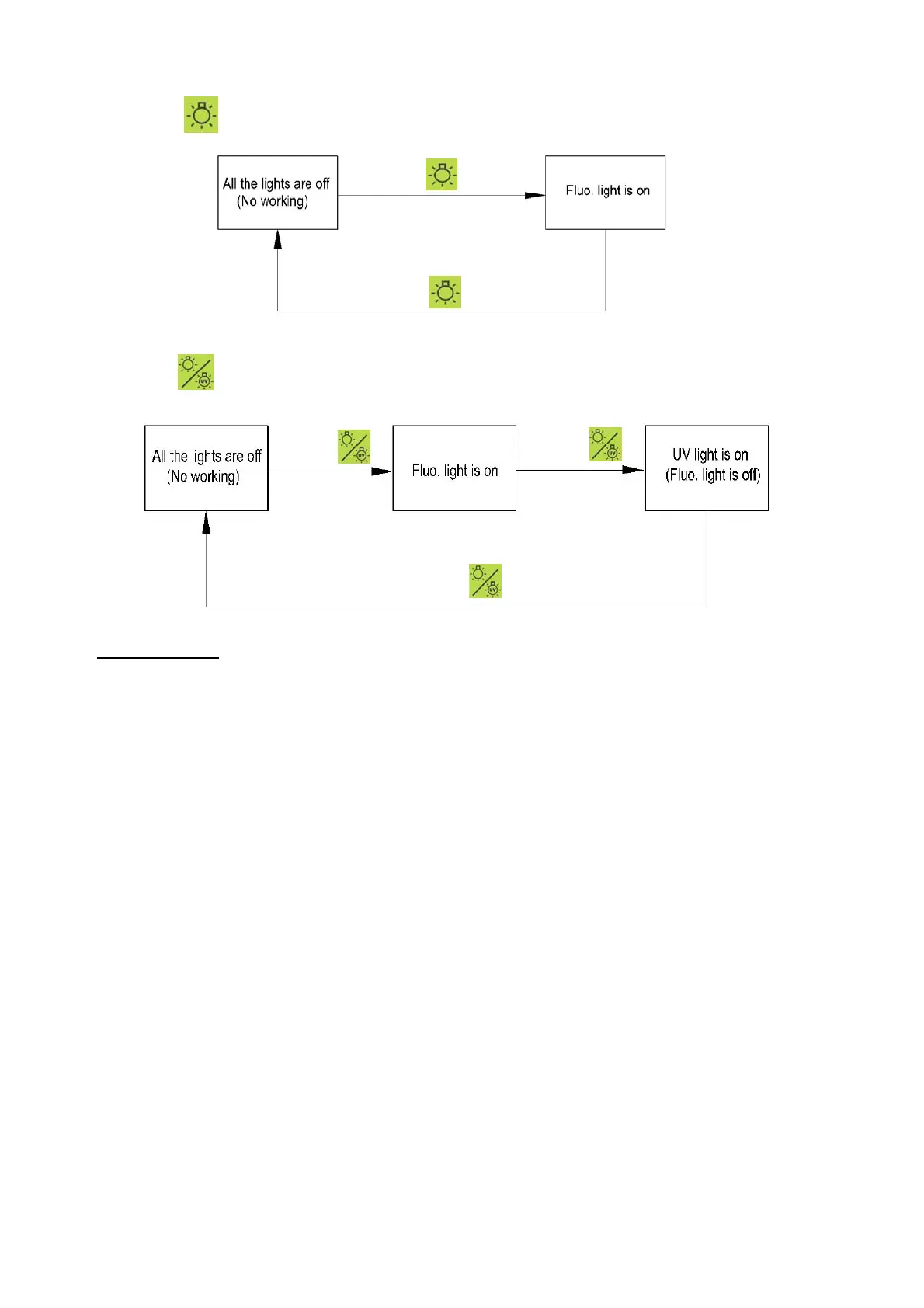
◆ Press repeatedly may operate the on/off of fluo. light.
◆ Press repeatedly may operate the on/off of fluo. light and UV light.
⑵ Operation:
Before Leaving factory, fan has been set in “STD” mode.
◆ Preparation:
At first, check whether the power cord has been plugged to the power socket reliably,
after confirmed, turn on the power switch (green) on the lower right side of the product
(at ”Ⅰ”).
Press Fan Button, its indicator is ON. The fan starts to work in the “STD” mode, its
corresponding LED is ON. And then Press Light/Sterilizing“ Button, the UV light will be
on.
To assure the cleanliness in the working area, let the clean bench run in the above state
for 20 minutes before normal operation starting every time. After that, turn off the UV light.
Take note to clean the surfaces of UV Light and work zone with appropriate disinfectant
regularly in order to ensure the sterilization effect.
Please keep far away from the UV light (for the Clean Bench with UV light) when it
is on, lest cause injury of eyes and skin.
Press
Press
Press
Press
Press



 To Next Page