EasyManua.ls Logo

Aiwa NSX-SZ310 - Radio Operations; Manual Tuning; Preset Tuning; Tuning to Preset Stations

Aiwa NSX-SZ310
12 pages
Print Icon
To Previous Page IconTo Previous Page
Loading...
RAD
10
OPERATIONS
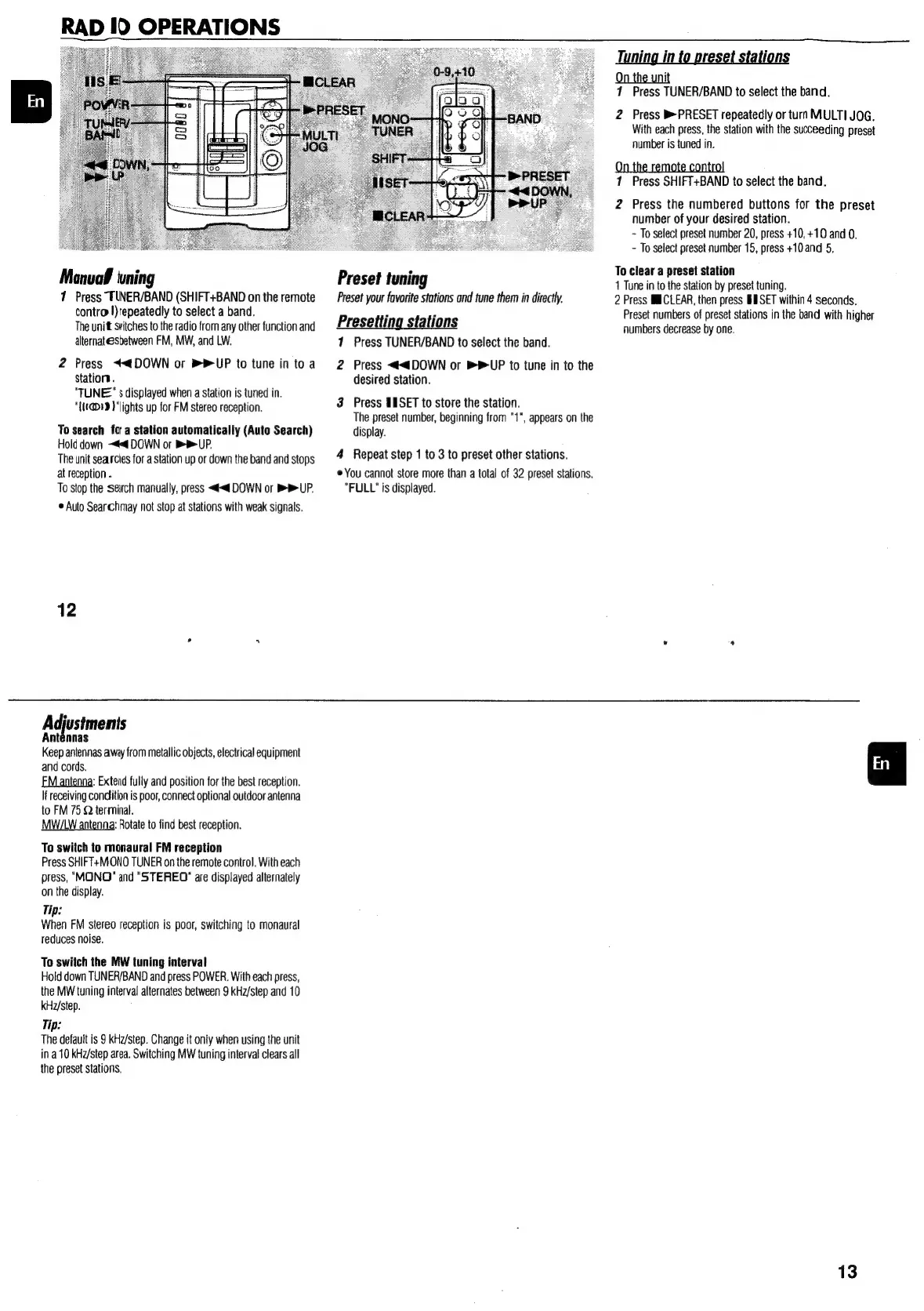
Manual
ning
7
Press
TUNER/BAND
(SHIFT+BAND
on
the
remote
contro
!)repeatedly
to
select
a
band.
The
unit
stitches
to
the
radio
from
any
other
function
and
alternatesbetween
FM,
MW,
and
LW.
2
Press
<<tDOWN
or
PUP
to
tune
in
to
a
Station.
"TUNE"
s
displayed
when
a
station
is
tuned
in.
"{{1@19
)
‘lights
up
for
FM
stereo
reception.
To
search
fo
a
station
automatically
(Auto
Search)
Hold
down
~#<
DOWN
or
BB
UP.
The
unit
searcies
for
a
station
up
or
down
the
band
and
stops
at
reception
.
To
stop
the
serch
manually,
press
<<
DOWN
or
BB
UP.
©
Auto
Searchmay
not
stop
at
stations
with
weak
signals.
12
Adjustments
Antennas
Keep
antennas
away
from
metallic
objects,
electrical
equipment
and
cords.
EM
antenna:
Extend
fully
and
position
for
the
best
reception.
If
receiving
condition
is
poor,
connect
optional
outdoor
antenna
to
FM
75
Q
terminal.
MW/LW
antenna:
Rotate
to
find
best
reception.
To
switch
to
monaural
FM
reception
Press
SHIFT+MONO
TUNER
on
the
remote
control.
With each
press,
"MONO"
and
"STEREO"
are
displayed
alternately
on
the
display.
Tip:
When
FM
stereo
reception
is
poor,
switching
to
monaural
reduces
noise.
To
switch
the
MW
tuning
interval
Hold
down
TUNER/BAND
and
press
POWER.
With each
press,
the
MW
tuning
interval
alternates
between
9
kHz/step
and
10
kHz/step.
Tip:
The
default
is
9
kHz/step.
Change
it
only
when
using
the
unit
ina
10
kH2/step
area.
Switching
MW
tuning
interval
clears
all
the
preset
stations,
Tuning
in
to
pr
ion
On
the
unit
1
Press
TUNER/BAND
to
select
the
band.
2
Press
PRESET
repeatedly
or
turn
MULTI
JOG.
With
each
press,
the
station
with
the
succeeding
preset
number
is
tuned
in.
1
Press
SHIFT+BAND
to
select
the
band.
2
Press
the
numbered
buttons
for
the
preset
number
of
your
desired
station.
-
To
select
preset
number
20,
press
+10,
+10
and
0.
-
To
select
preset
number
15,
press
+10
and
5,
To
clear
a
preset
station
P
reset
tuning
3
1
Tune
in
to
the
station
by
preset
tuning.
Preset
your
favorite
stations
and
tune
them
in
directly.
2
Press
MICLEAR,
then
press
BESET
within
4
seconds.
; é
Preset
numbers
of
preset
stations
in
the
band
with
higher
Presetting
stations
numbers
decrease
by
one.
1
Press
TUNER/BAND
to
select
the
band.
2
Press
<<4DOWN
or
BP
UP
to
tune
in
to
the
desired
station.
3
Press
SISET
to
store
the
station.
The
preset
number,
beginning
from
"1",
appears
on
the
display.
4
Repeat
step
1
to
3
to
preset
other
stations.
©
You
cannot
store
more
than
a
total
of
32
preset
stations.
"FULL"
is
displayed.
13

Other manuals for Aiwa NSX-SZ310

Related product manuals