Hi5-Plus Mini-Converter v1.7r1 14 www.aja.com
NOTE: The RGB range setting effects output range only when in RGB mode. YCbCr
outputs are always SMPTE levels.
2K Crop
Choose Auto, Off, or On. Provides the option of center cutting 2Kx1080 video
signals to make 1920x1080. This has no effect when input video is 1920 pixels per
line.
Color Dithering
Choose Off or On.
HDMI/DVI
Choose Auto, HDMI, or DVI. When DVI is selected, any audio signals present are
not passed. Choosing “Auto” automatically selects the output mode based on the
attached device’s capabilities.
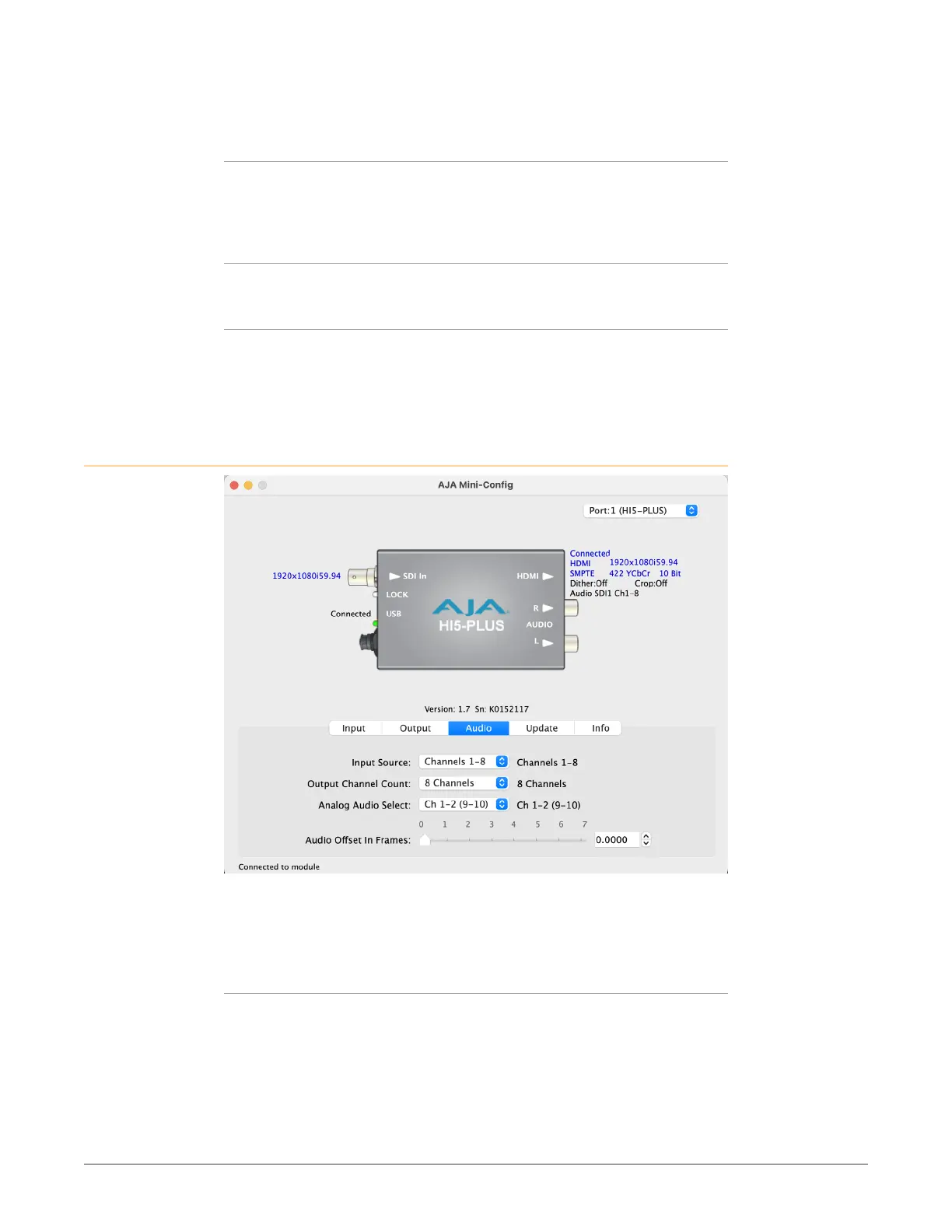
Audio Tab Screen
Click on the Audio tab to view and make changes to the Hi5-Plus audio settings.
NOTE: When using the DVI video protocol no audio is output, since that protocol is video
only.
Input Source
Choose which embedded audio channels are routed to the HDMI output. Eight
channels are routed at a time. You can choose Ch 1-8 or Ch 9-16 from the SDI
input.



 To Next Page