Hi5-Plus Mini-Converter v1.7r1 5 www.aja.com
I/O Connections
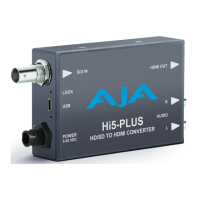
Figure 2. Hi5-Plus Converter Connections
2 Channel
Unbalanced
Analog Audio
Out (RCA Jacks)
HDMI
Output
Connector
DC
Power
Input
Power
LED
USB
Port
Signal
Presence
Lock LED
SDI
Input
Connector
Lock LED Status Indicators
• Off = No signal / no valid input
• Green = SD-SDI
• Red = HD-SDI
• Amber = 3G-SDI
User Controls
Mini-Config Control
Automatic input format detection configures the unit automatically to match
input and output video parameters. In most cases, manual configuration is not
necessary. Advanced Mini-Config control supports color space and bit depth
adjustments, and audio channel selection.
Configuration set via Mini-Config is stored in the Hi5-Plus unit through
subsequent power cycles.
Installation
Typically, Hi5-Plus installation consists of the following steps:
1. Ensure the converter is disconnected from power.
2. Connect video equipment to the BNC connector and HDMI connector
3. Connect audio equipment to RCA connectors (optional)
4. Apply power to the converter (AJA power supply included).



 To Next Page