Hi5-Plus Mini-Converter v1.7r1 16 www.aja.com
Desired
This field shows the version of firmware embedded in the Mini-Config application
which you can install into the Mini-Converter by clicking the Update button.
Update
This button initiates a software update operation loading the “Desired” version of
firmware into the Mini-Converter’s non-volatile memory.
Progress
This indicator bar shows the progress of firmware installation.
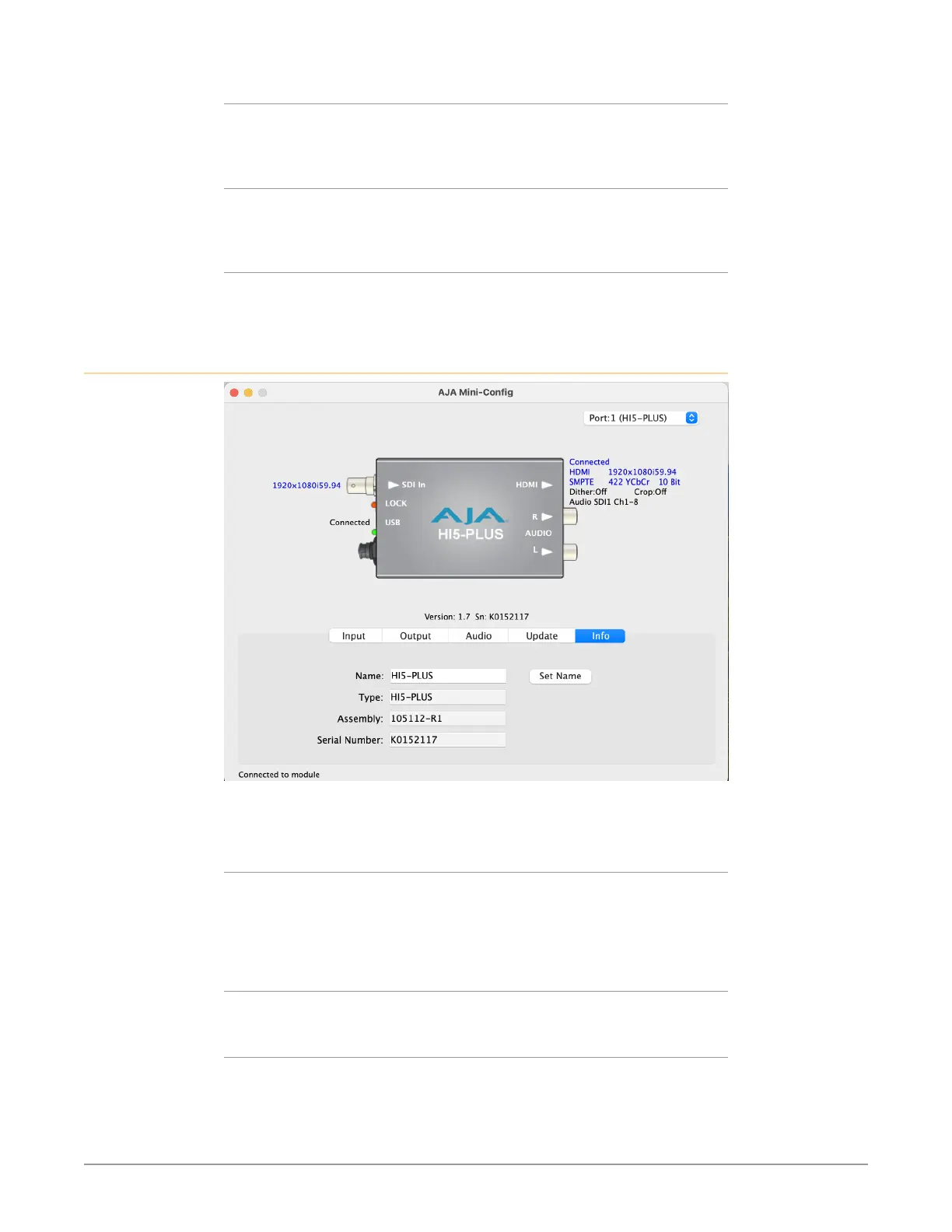
Info Tab Screen
This screen provides basic information about the Mini-Converter. This information
is mostly useful when calling AJA Support for service or technical support.
Name
This field allows you to give your Mini-Converter a name. This can be useful if you
have several Mini-Converters attached to a Mac/PC via USB so you can distinguish
between them easily (especially if they’re the same model). Click Set Name to
apply new name.
Type
This is the factory set model name of the Mini-Converter.
Assembly
This is the factory assembly number.



 To Next Page