KiPro Mini v4.2 www.aja.com
87
All Clips and Media
State > Data-LAN
If the Ki Pro Mini is configured for Media State > Data-LAN, appropriately encoded
QuickTime files may be uploaded to the Ki Pro Mini or downloaded from the Ki Pro Mini
via the All Clips portion of the interface. (See “"Appropriately Encoded Clips"” for clip
encoding requirements.)
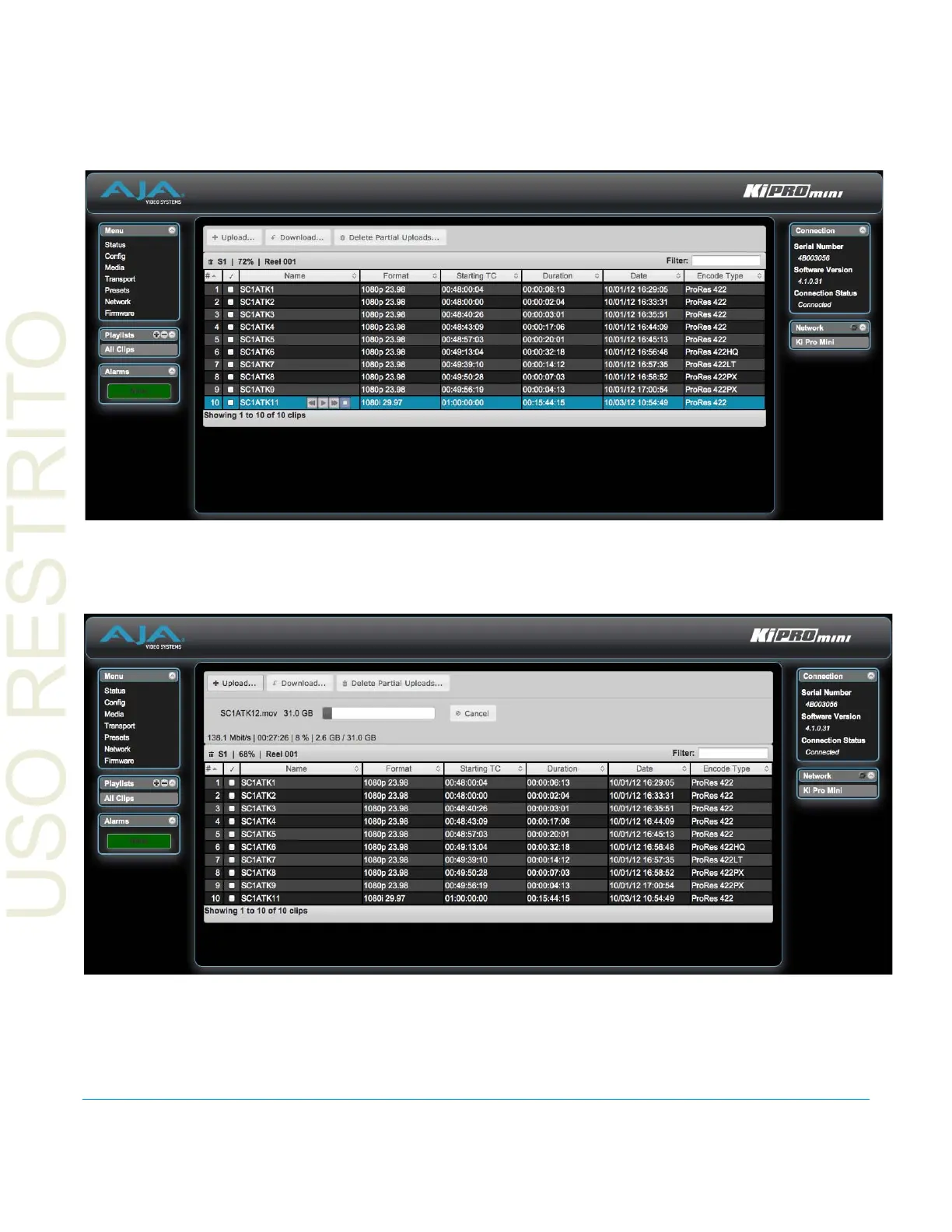
During an upload, useful information about the upload is given: the name of the file
being uploaded, the size of the file being uploaded, a progress bar and a Cancel button.
Additionally transfer speed information, remaining time to transfer and percentage of
data transferred are shown.
Note that if an upload is cancelled or interrupted for any reason, the transfer may be
resumed by simply selecting the clip that was transferring again and re-starting the
transfer. If you have cancelled some uploads, you may regain the space that these partial
uploads may occupy on them media by choosing the Delete Partial Uploads option.



 To Next Page