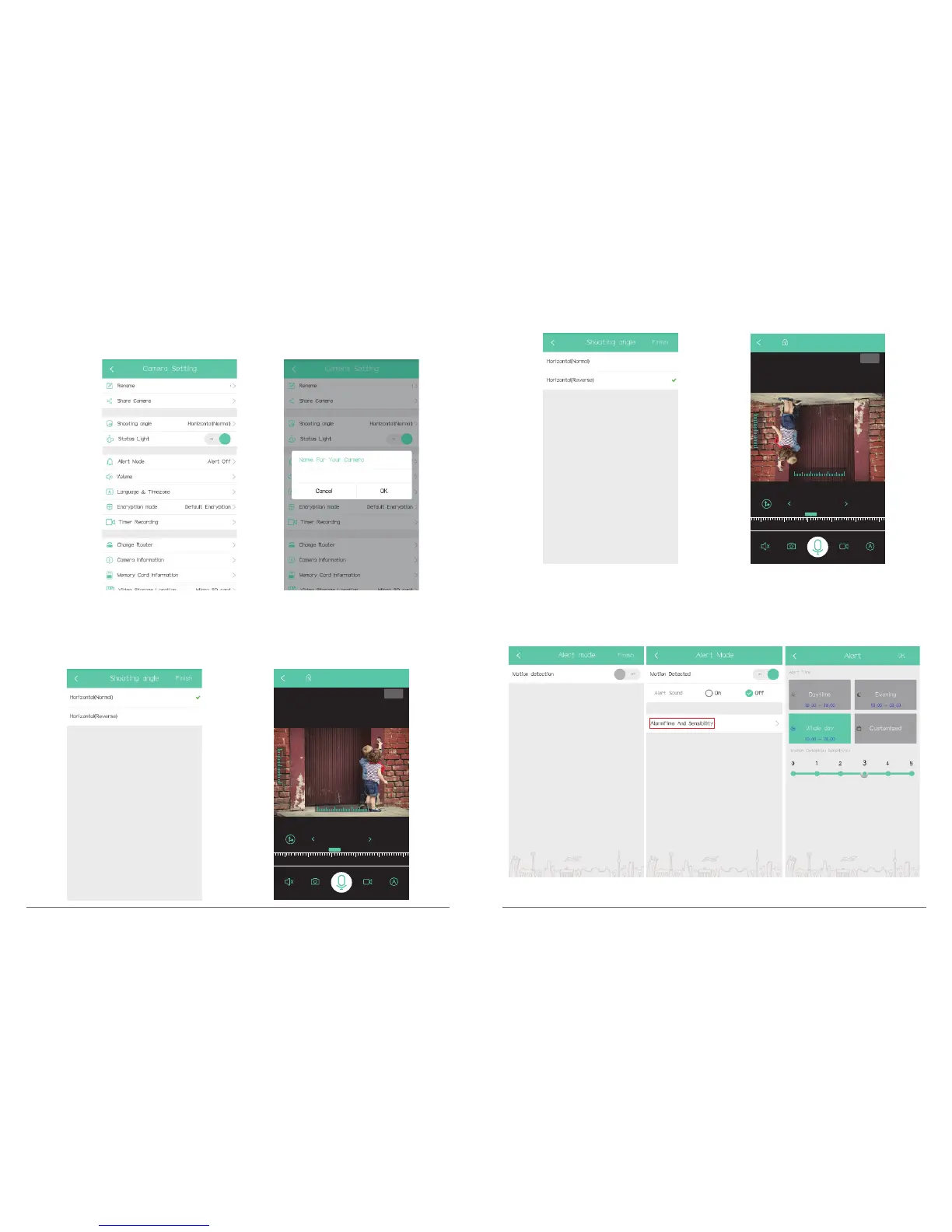
Rename: Give a new name of the device
In Camera Setting interface, click” Rename”, input new name and click “OK” to finish and
save setting.
Share camera: Share the device to another account, please refer to part 8.
Shooting angle: Set camera shooting angle
In Camera Setting interface, click” Shooting angle”, select “Horizontal (Normal)” or
“Horizontal (Reverse)” to get different shooting angles.
P50
2018-12-28 19:04:50
encrypted to pretect your privacy
68 KB/S
2 KB/S
2018-12-28
Talk
19:04
17:00 18:00 19:00 20:00 22:0021:00
60
40
20
220
240
260 280
Status Light: Turn on / off camera indicator light.
Alert mode: Turn on / off Motion detection, please refer to part 7.
19 20
P50
P50
P50
P20
2018-12-28 19:04:50
encrypted to pretect your privacy
68 KB/S
2 KB/S
2018-12-28
Talk
19:04
17:00 18:00 19:00 20:00 22:0021:00
60
40
20
220
240
260 280
P50



 To Next Page