Installation Instructions
HardwiringKitsInstallationmethod
•Step 4: Connect the fuses
①Red (ACC) accessory power supply
— Connect to a fuse that turns on / off with the engine.
②Yellow (Battery) constant power supply
— Connect to a fuse that is always powered, the connection must be made
after passing through the fuse.
③Black (Ground) connection
— Place the spade connector under the head of a ground point screw or bolt
ensuring a clean electrical contact and tighten the screw to secure.
•Step 5: Test the Dash Cam
After connecting the power and ground wire connections (Red, Yellow and
Black), plug the hardwire kit into the camera, then start the vehicle to check
that it works.
Note: We recommend you test that the hardwire kit and camera function correctly,
before fully securing the cables neatly behind the vehicle trim, because it is easier
to troubleshoot if the wires are easily accessible.
19
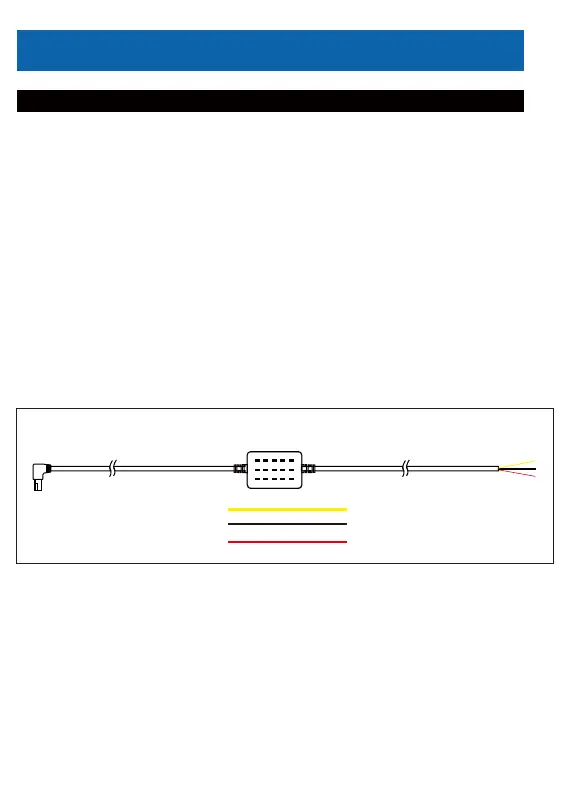
Connection Method
Power connection
of the main body
(Yellow) Battery (B+) Wire
(Black) Ground (GND) Wire
(Red) ACC Wire



 To Next Page