① The recorded videos can be played back.
② Playback of videos can be done on a computer.
By using the dedicated software, you can view the recorded videos.
※ The dedicated viewer is saved on the SD card, so you can read the
SD card directly on the computer. The capacity of the card is smaller
because the video is saved.
※ When the memory card is full, the newest footage will automatically
overwrite the oldest clips, but if it repeat overwriting, data residue will
accumulate with each overwriting and it will not even be used.
Therefore, it is necessary to format the microSD card of the dash cam
regularly.
1)Remove the MicroSD memory card from the device. Do not remove the MicroSD memory
card while the device is transferring or accessing information.
2) Insert the MicroSD memory card into an SD Card Adapter.
※ If the card adapter does not support microSD card, the computer cannot recognize
the card.
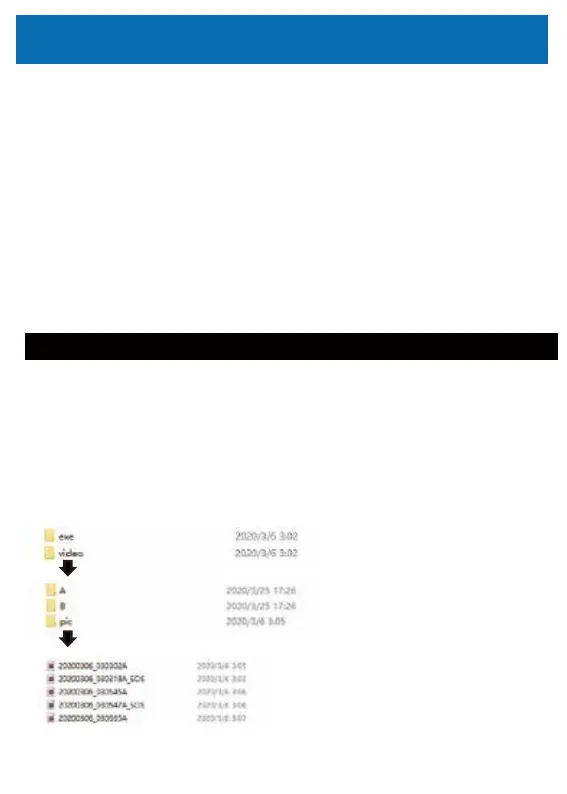
3)On the computer, navigate to SD drive, the playback software is stored at:/exe.
※ You can copy the playback software into the computer.
exe⇒Dedicated playback software
video⇒ecorded file
Front camera image
Rear camera image
Photo
SOS file:
The data during G-sensor detection or manual
operation will be saved as collision record data.
Video Playback
Video Playback
Computer Playback
26



 To Next Page