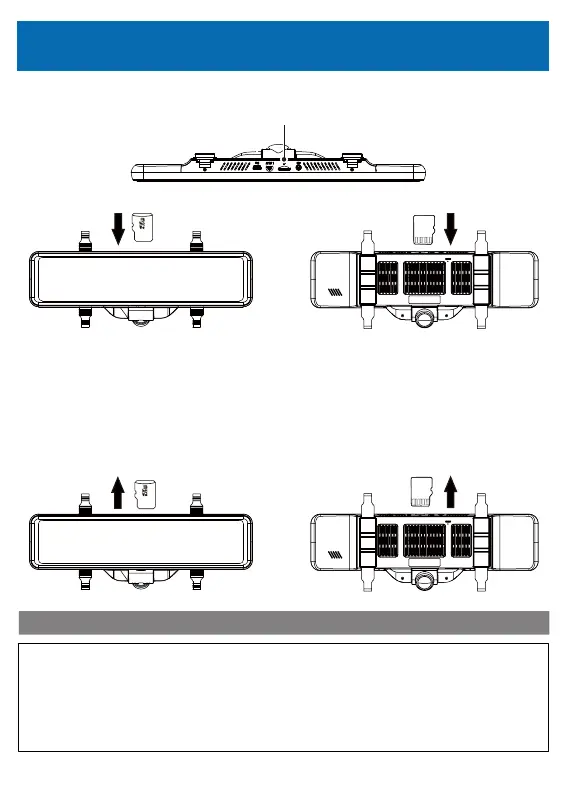
1. Pay attention to the insert direction of the MicroSD card and insert it into the slot.
MicroSDCardSlot
<RearViewoftheMainUnit>
<FrontViewoftheMainUnit>
<RearViewoftheMainUnit>
<FrontViewoftheMainUnit>
About MicroSD Memory Card
2.Make sure that the MicroSD card is securely inserted inside the slot.
※ Insert until you hear a click.
3.Gently apply force on the MicroSD card until it is ejected from the slot.
※Be careful not to lose it as it may pop out vigorously.
•When inserting the MicroSD card, make sure that it is oriented correctly before
inserting it.
•If you do not use the included MicroSD card, you may not be able to record.
•When the MicroSD card is ejected, please be careful not to lose it.
•In case of an accident, please remove the card and keep it in order not to damage
the recorded image data.
Caution
20



 To Next Page