EasyManua.ls Logo

AKG P220 - Operating instructions

AKG P220
15 pages
Print Icon
To Next Page IconTo Next Page
To Previous Page IconTo Previous Page
Loading...
4
Operation
Operating
instructions
®
P120
P220
Operation
The
P120
and
P220
are
general-purpose
cardioid
microphones
for
recording,
broadcast,
and
onstage
use.
Every
instrument
radiates
its
sound
in
a
specific
way.
Therefore,
to
get
the
best
sound
it
is
crucial
to
experiment
with
microphone
placement.
The
following
hints
apply
to
both
the
P120
and
the
P220.
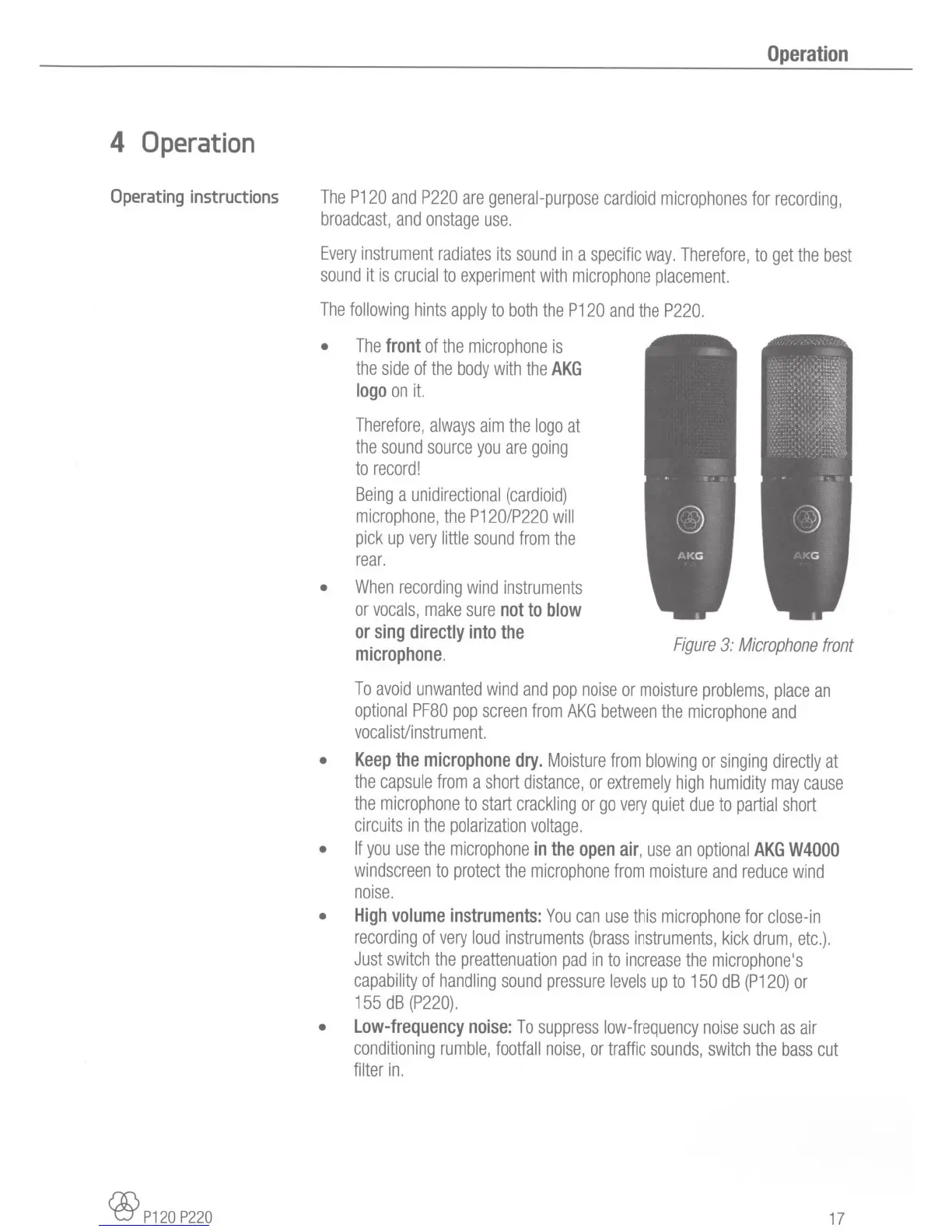
The
front
of
the
microphone
is
the
side
of
the
body
with
the
AKG
logo
on
it.
Therefore,
always
aim
the
logo
at
the
sound
source
you
are
going
to
record!
Being
a
unidirectional
(cardioid)
microphone,
the
P120/P220
will
pick
up
very
little
sound
from
the
rear.
When
recording
wind
instruments
or
vocals,
make
sure
not
to
blow
or
sing
directly
into
the
microphone.
Figure
3:
Microphone
front
To
avoid
unwanted
wind
and
pop
noise
or
moisture
problems,
place
an
optional
PF80
pop
screen
from
AKG
between
the
microphone
and
vocal
i
st/i
nstru
me
nt.
Keep
the
microphone
dry.
Moisture
from
blowing
or
singing
directly
at
the
capsule
from
a
short
distance,
or
extremely
high
humidity
may
cause
the
microphone
to
start
crackling
or
go
very
quiet
due
to
partial
short
circuits
in
the
polarization
voltage.
If
you
use
the
microphone
in
the
open
air,
use
an
optional
AKG
W4000
windscreen
to
protect
the
microphone
from
moisture
and
reduce
wind
noise.
High
volume
instruments:
You
can
use
this
microphone
for
close
-
in
recording
of
very
loud
instruments
(brass
instruments,
kick
drum,
etc.).
Just
switch
the
preattenuation
pad
in
to
increase
the
microphone's
capability
of
handling
sound
pressure
levels
up
to
150
dB
(P120)
or
155
dB
(P220).
Low-frequency
noise:
To
suppress
low-frequency
noise
such
as
air
conditioning
rumble,
footfall
noise,
or
traffic
sounds,
switch
the
bass
cut
filter
in.
17

Related product manuals