EasyManua.ls Logo

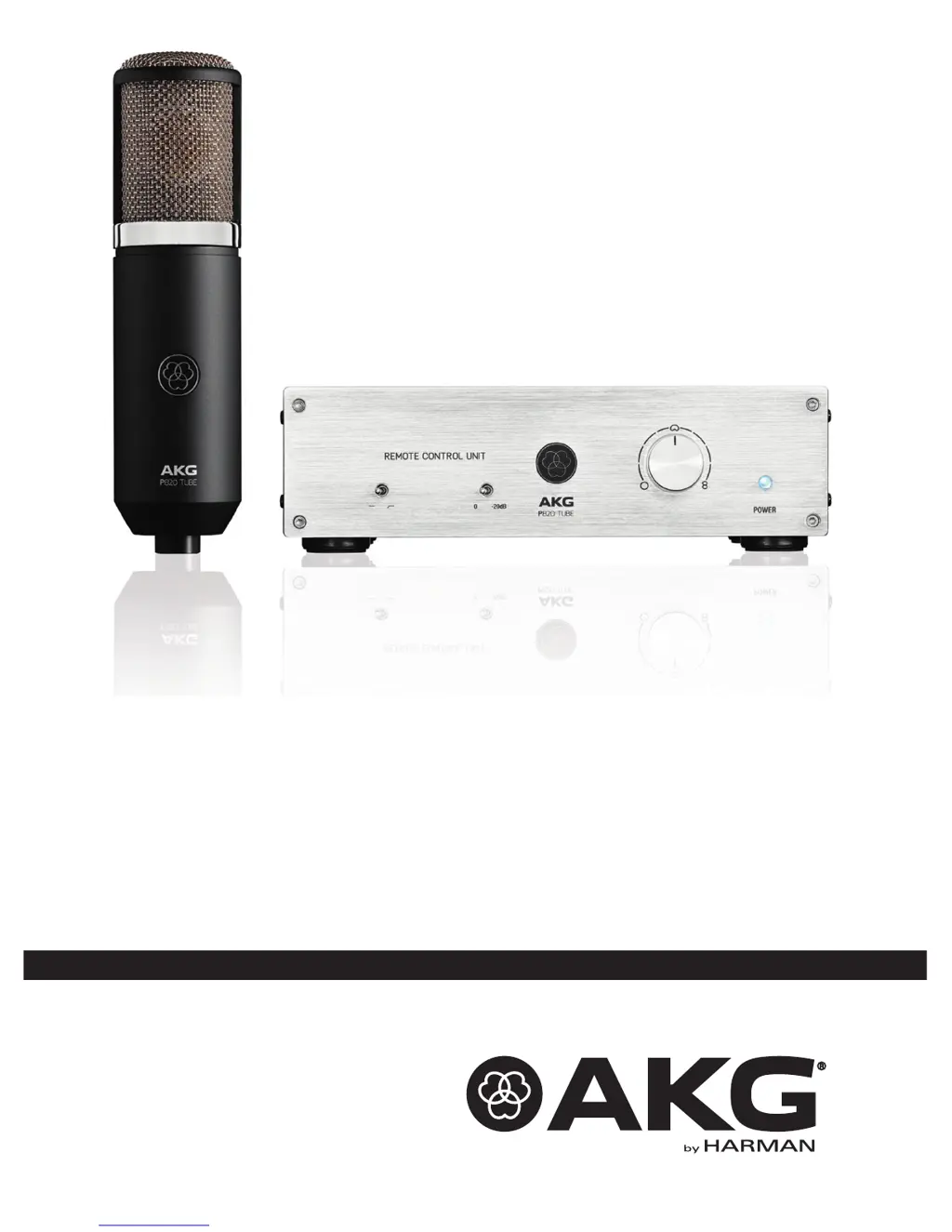
AKG P820 - User Manual

AKG P820
68 pages
Go to English
Print Icon
To Next Page IconTo Next Page
Loading...
BEDIENUNGSANLEITUNG
.................................
2
Bitte vor Inbetriebnahme des Gerätes lesen!
USER INSTRUCTIONS ..................................... 18
Please read the manual before using the equipment!
MODE D’EMPLOI ............................................ 34
Veuillez lire cette notice avant d’utiliser le système!
MODO DE EMPLEO......................................... 50
¡Sirvase leer el manual antes de utilizar el equipo!
P820

Table of Contents

Questions and Answers

  • R
    rodriguezamyJul 26, 2025
    How to fix distortion on my AKG Microphone?
    • J
      Jennifer HamiltonJul 26, 2025
      If you're experiencing distortion with your AKG Microphone, try turning the channel gain control down counter-clockwise. If the microphone is too close to the sound source, move it further away. You can also switch the preattenuation pad in to reduce the microphone's sensitivity.
  • S
    Susan WarnerAug 5, 2025
    What to do if my AKG P820 has crackling noises or low output?
    • L
      lindagarciaAug 5, 2025
      If your AKG Microphone is producing crackling noises or has low output, it might be due to partial short circuits caused by excessive humidity. Place the microphone in a warm, dry room and allow it to dry completely.
  • E
    edgar78Aug 14, 2025
    What to do if my AKG P820 has no sound?
    • K
      Kenneth CarterAug 15, 2025
      If your AKG Microphone produces no sound, first ensure the mixer and/or recording device are powered on. Check that the channel or master fader isn't set to zero; adjust it to the desired level. Verify the microphone is properly connected to the mixer or recording device and that all cable connectors are securely seated. Inspect the audio cable for any damage and replace it if necessary. Also, check the POWER LED, switch the power to the Remote Control Unit on, and inspect the audio/control cable, replacing it if needed. If the POWER LED is off, refer to "Replacing Fuses Page 31" or contact your nearest AKG Service Center. If the vacuum tube inside the microphone is defective, contact your nearest AKG Service Center.

Summary

Safety and Environment Precautions

Safety Precautions and Warnings

Key safety guidelines and warnings to prevent equipment damage and ensure safe operation.

Product Description

Introduction and Contents

Brief introduction to the P820 product and list of included items.

Optional Accessories

Information on available optional accessories for the P820 microphone.

Microphone Details

Detailed description of the P820 TUBE microphone's features and technology.

Remote Control Unit Overview

Explains the functionality and features of the P820 Remote Control Unit.

Rear Panel Controls and Ports

Details the controls, inputs, and outputs located on the rear panel of the remote unit.

Connecting to Audio Equipment

Microphone Connection

Instructions for connecting the P820 microphone to the remote unit and mixer.

Power Connection and Operation

Steps for connecting the remote control unit to power, powering up, and powering down.

Operating the P820 Microphone

General Operation Hints

Provides general advice and tips for using the P820 microphone effectively.

Selecting Polar Patterns

Explains how to select and utilize the different polar patterns of the P820 microphone.

Cleaning and Maintenance

Cleaning Procedure and Precautions

Important safety warnings and instructions for cleaning the microphone and remote unit.

Troubleshooting Common Issues

Sound and Output Problems

Troubleshooting for no sound, distortion, crackling, or low output problems.

Replacing Fuses

Step-by-step guide for safely replacing blown fuses in the remote control unit.

Technical Specifications

Microphone Specifications

Detailed technical specifications for the P820 TUBE microphone.

Remote Control Unit Specifications

Detailed technical specifications for the P820 Remote Control Unit.

AKG P820 Specifications

General IconGeneral
TypeCondenser
Polar PatternCardioid
Frequency Response20 Hz - 20 kHz
ConnectorXLR
Diaphragm Size1 inch
Signal to Noise76 dB
Output ConnectorXLR
Powering48V Phantom Power

Related product manuals