8
CONTROL PANEL OPERATION
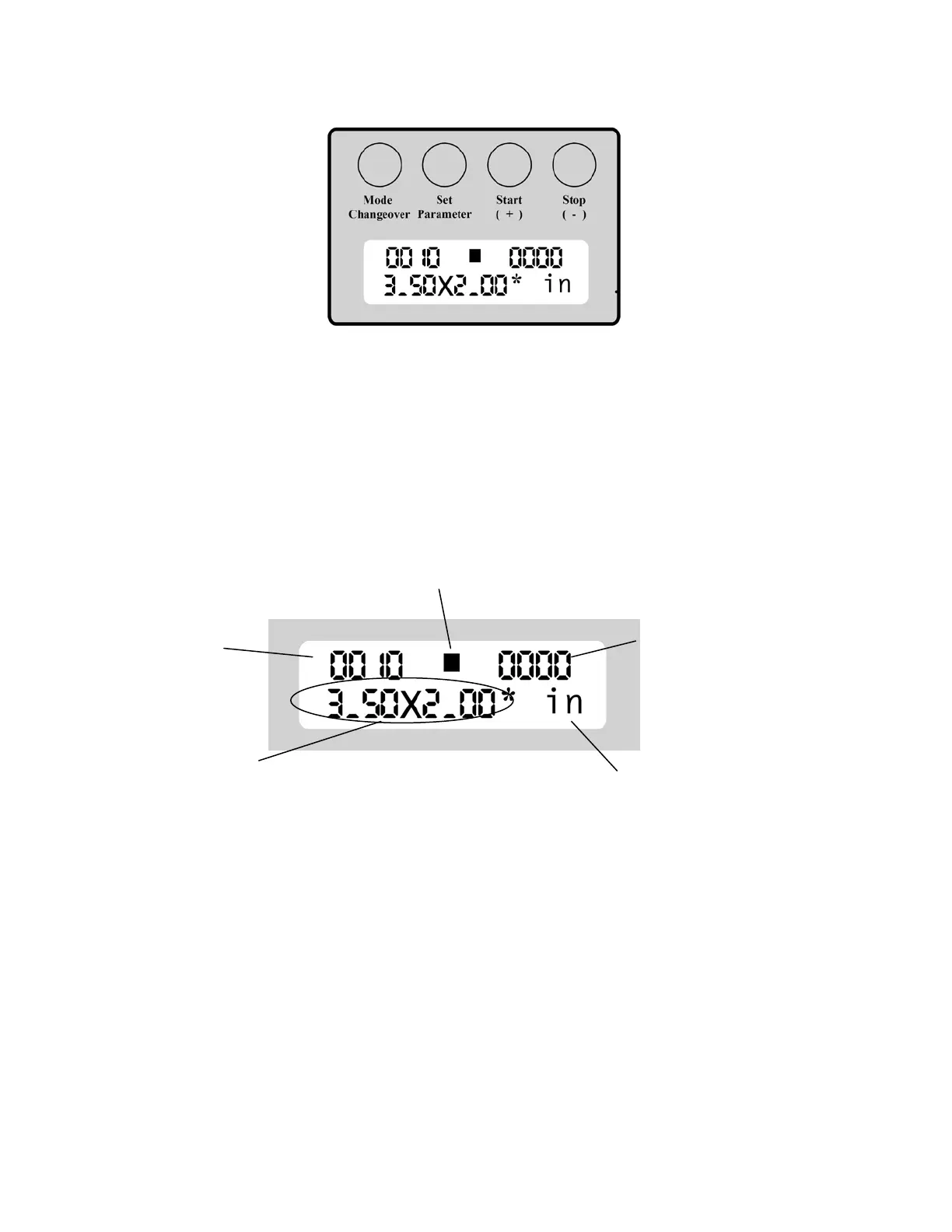
FUNCTIONS
Mode Changeover: Standby, Changing Cutting Mode, Return to Standby State when Setting Parameter
Set Parameter: Adjusting the cutting size, Setting the cutting paper number
Start ( + ): Used for start cutting from Standby state, increasing value in the cutting size adjustment
Stop ( - ): Used for stop cutting during work, decreasing the value in the cutting size adjustment
To Select Cutting Mode for 3.5” x 2” 10-up Preset:
If your LCD Screen is already set at “3.50 x 2.00” and shows “10pcs” at the top left, you are already in the this
preset mode. If you are not, do the following:
Press [Mode Changeover] key once. Press [Start ( + )] key til your LCD Panel shows “Card Size: 3.50 x 2.00”. Please
note there are two 3.5 x 2” Presets, one for 8-up and one for 10-up. To check which one you have, press Mode
Changeover key and check the Set Pieces field as below:
Be Cut
Cards
■ Means ■ Mark Detection
Empty means the front-end detection



 To Next Page