15
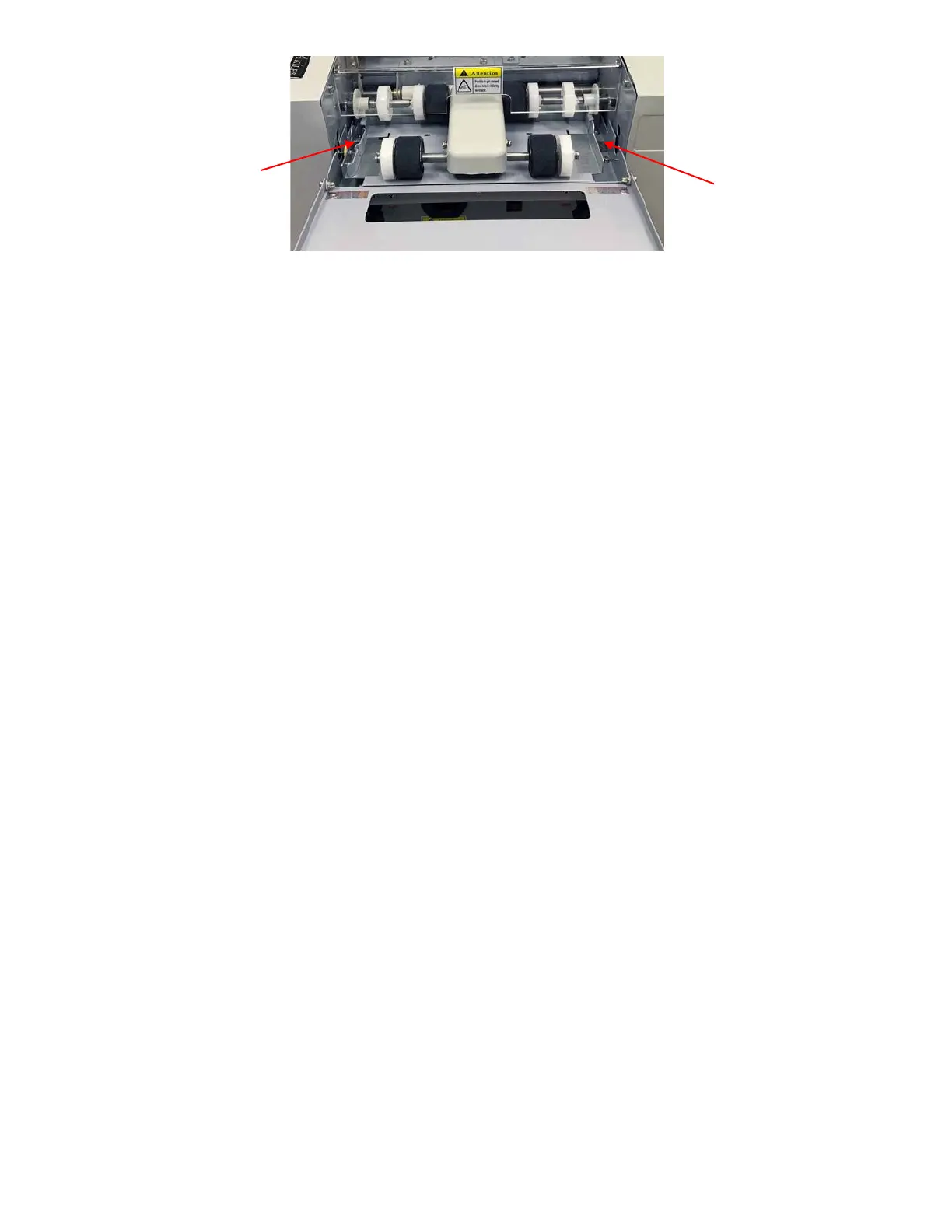
The machine is factory-set with the thickness adjustment needle pointing to the middle, which is meant for cutting
250gsm paper (approximately 10 pt). However, due to differences in paper and user environment, some
adjustment may be necessary to fine-tune paper feeding. Run the machine with your paper first to determine
whether adjustment is needed.
1) If the machine is not feeding the sheet through:
a. Loosen Lock Nut
b. Rotate the needle to “+“ direction by screwdriver on both sides. Each increment on the dial
correlates to approximately 0.02mm thickness. Turn it a couple spaces to test.
c. Tighten the Lock Nut.
d. Run the Machine. Repeat steps a-d until it can feed 1 sheet at a time.
2) If you are finding the machine is feeding more than 1 sheet through. Release the jam (see Settling
Jams in the Troubleshooting sections 2-4), then adjust as follows:
a. Loosen Lock Nut
b. Rotate the needle to “-” direction by screwdriver on both sides. Each increment on the dial
correlates to approximately 0.02mm thickness. Turn it a couple spaces to test.
c. Tighten the Lock Nut.
d. Run the machine. Is it still feeding more than 1 sheet? If so, repeat steps a-d until it is feeding
1 sheet at a time.
*Please Note –Adjustment is necessary due to differences in paper and user environment. If you are experiencing
feeding issues - see “Bad Paper Feeding” section of Troubleshooting.
TROUBLESHOOTING
In case of a problem or safety situation, the machine will signal with a sharp audible sound. The LCD will indicate
issue and machine will stop or stay at the standby state.
1) Top Cover Open
a. If the Top Clear Cover is off, the buzzer will sound. To solve this, turn the power off, then put the
Top Cover back on correctly. Turn the power back on.
2) Settling Paper Jams – Internal Paper Jam
a. Turn off power.
b. Remove Top Cover
i. Remove the Rotary Blade Assembly and take out the jammed paper.
c. Put the top cover back on.
d. Turn on the power and press [Start] key.
e. Confirm the jammed paper and chips have been taken out.
f. Turn off the power.
Adjustment
Needle
Adjustment
Needle



 To Next Page