Technical Support: 01905 560 219 17Order: 01905 823 299 | orders.akw-ltd.co.uk
17
TROUBLESHOOTING
Troubleshooting
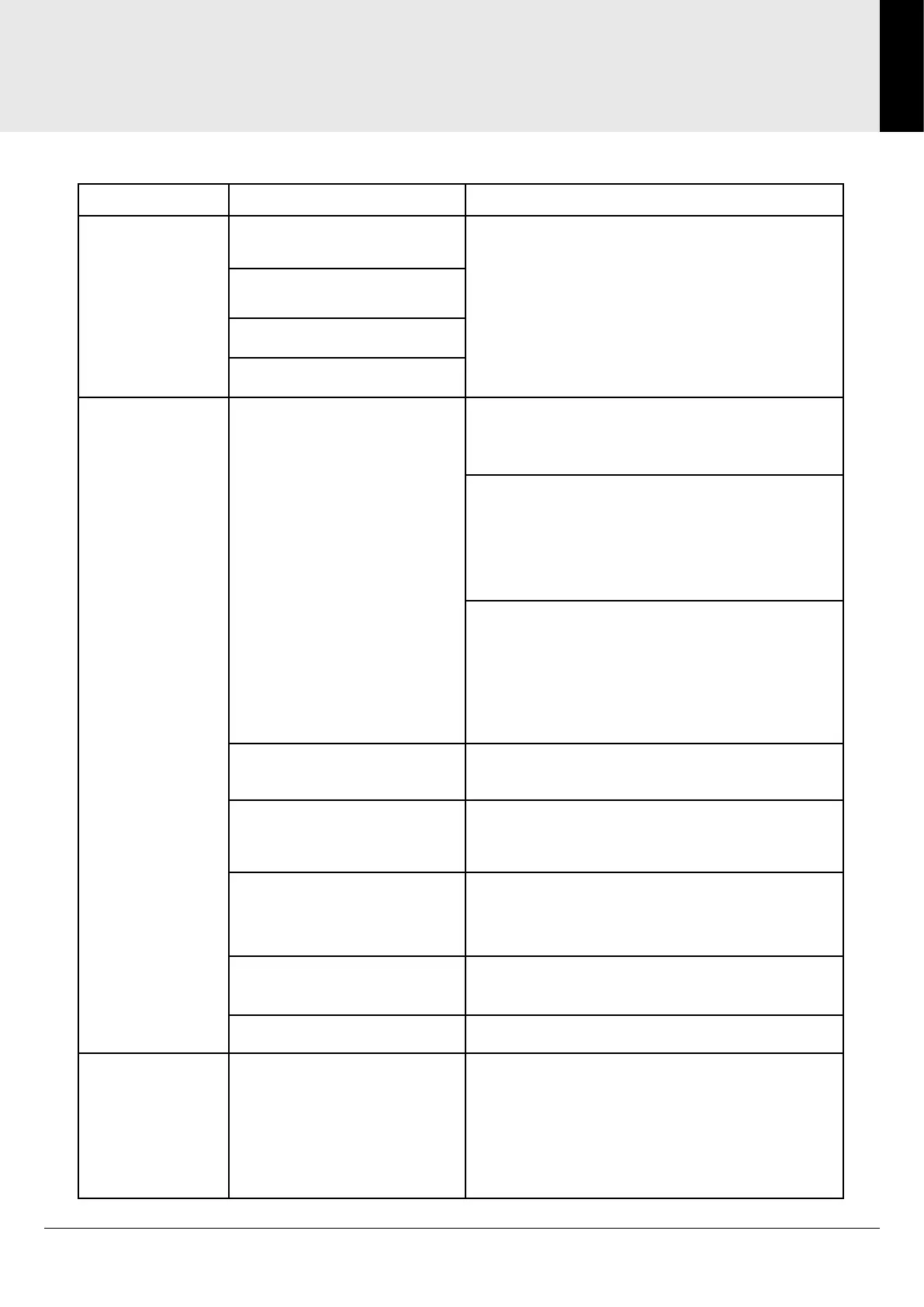
Reported Fault Possible Causes Checks/Actions
No LED or
display.
Fuse/fuse board turned off. Check power supply to unit.
Isolation switch turned off.
Break in supply cable.
Not wired correctly.
Pump does
not activate
when shower is
turned on.
Flow switch(s)/sensor(s)
not connected properly.
Note: Status LED will ash
when receiving a valid ow
signal.
External switch/sensor installation
Check switch/sensor installation and integrity
of wiring.
Electric shower with integral switch/sensor
Check integrity of wiring between shower and
controller.
Refer to shower manual for correct settings.
Electric shower wireless connection
Refer to shower manual for correct settings
and installation of wireless module.
Refer to controller manual for correct settings
and installation of wireless module.
Incorrect controller setup. Refer to controller manual and conrm menu
settings.
Flow switch(s) blocked. Check lter is tted before ow switch and
that neither lter nor switch is blocked.
Insufcient ow rate to
activate ow switch
Check for minimum ow rate of 2lpm (electric
shower) / 4lpm (mixer shower).
Connection from controller
to pump broken.
Check wiring integrity.
Faulty pump motor. Replace unit.
Pump ow rate
too fast/too
slow or delay
time/run-on
time too long/
too short.
Incorrect controller
setting(s).
Refer to controller manual for correct settings.


 To Next Page