© 2019 AKW 13-012-085-17
27
Cold Water Flushing
Commissioning
Before operating the shower, it must be primed
with cold water using the cold flush setting
Turn on power at pull cord/switch
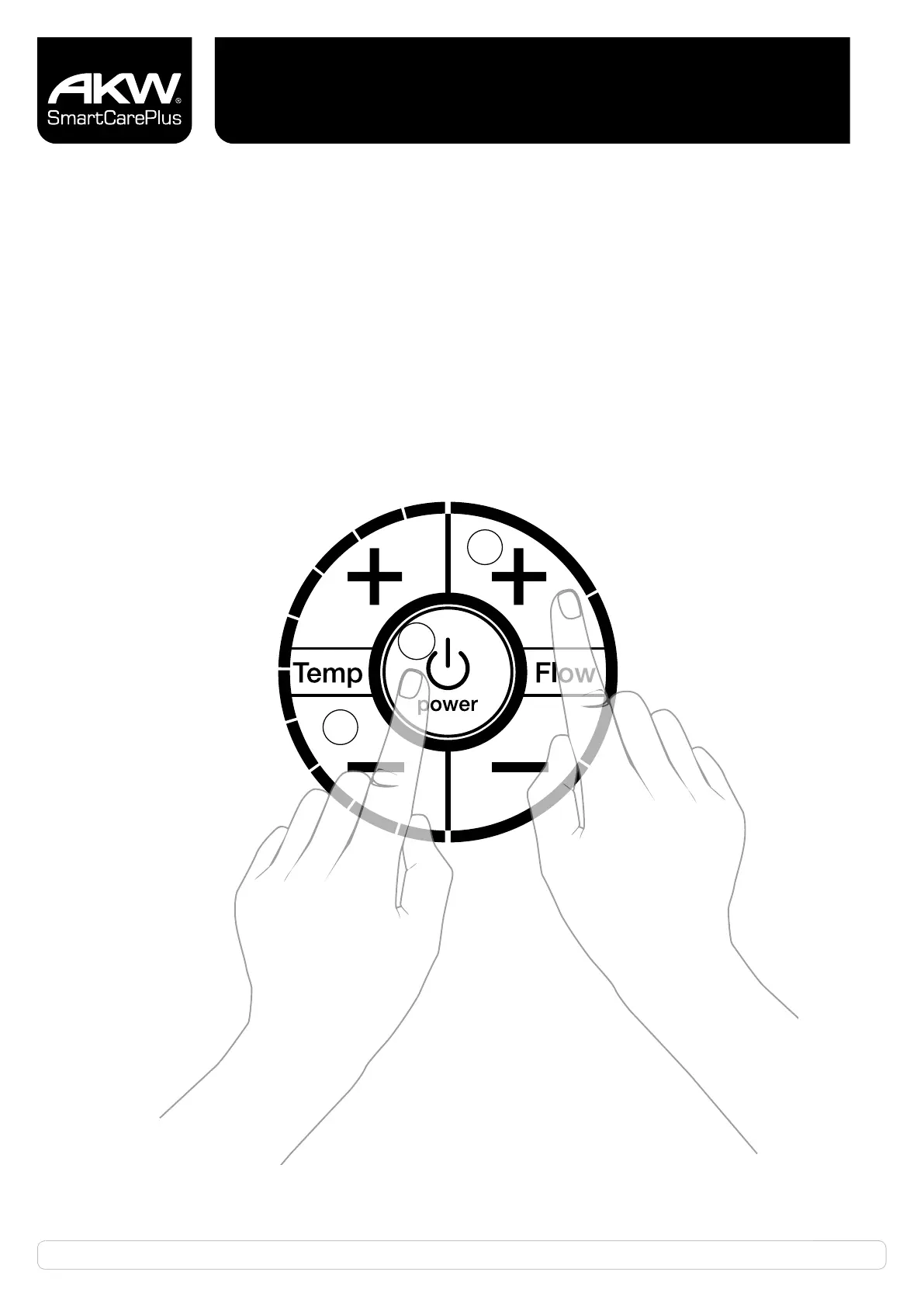
Press the Flow Increase (+) button (1) and the Power Button (2) simultaneously for 3 seconds.
Release both buttons and cold water will then flow through the unit.
Allow the shower to run until a smooth flow is achieved (approx. 1 minute)
Press the Temp Decrease (-) (3) button to stop the water flow and return the shower to standby mode.
If the Temp Decrease (-) (3) button is not pressed within 3 minutes,
the shower will revert to standby mode.
1
3
2


 To Next Page