en
18 695470_c
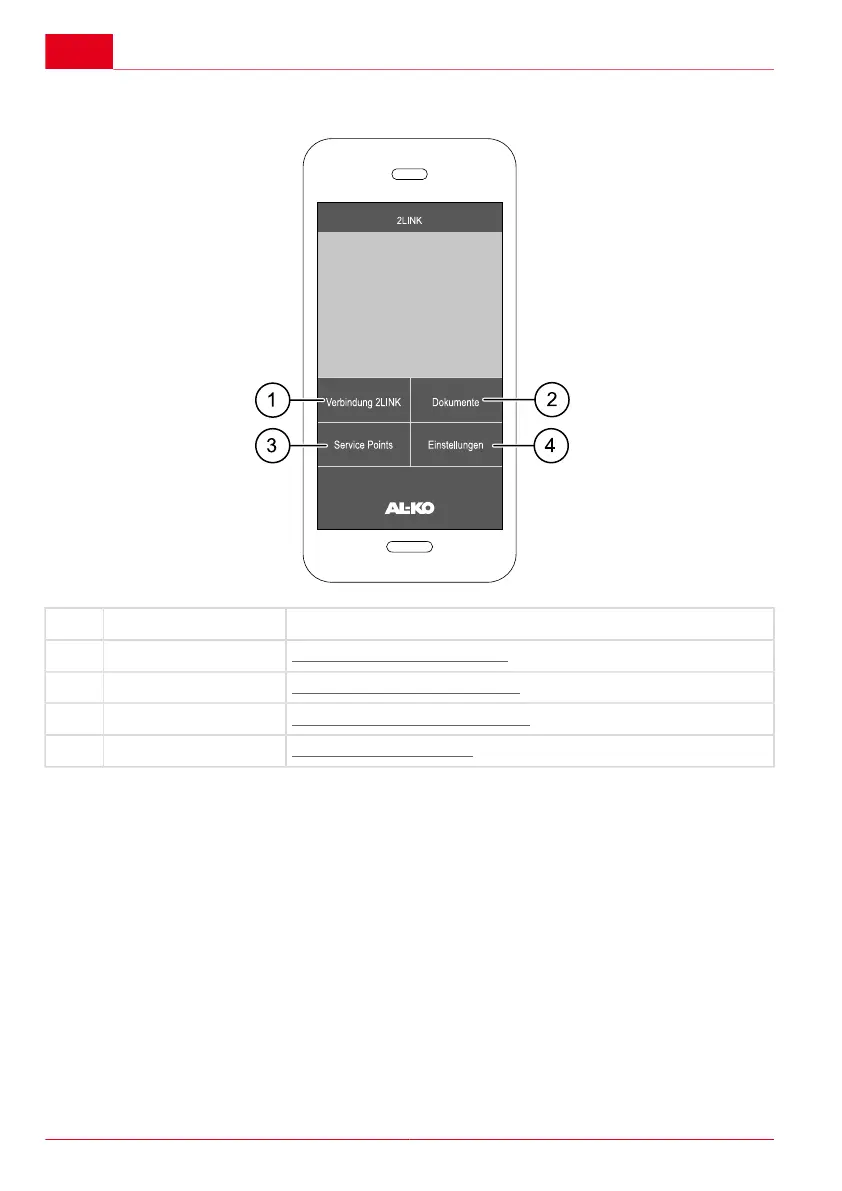
WELCOME SCREEN DESCRIPTION
No. Icon Action
1 2LINK connection "Connection to the 2LINK box"
2 Documents "List of downloaded documents"
3 Service points "Display of nearby service points"
4 Settings "Go to the settings menu"
OPERATION
Supply the 2LINK box with voltage
Driving
1. Connect the 13-pin plug on the caravan to the towing vehicle.
The status LED on the ATC must light up.
Stationary
1. Connect the caravan to a 230 V supply using an external voltage converter.



 To Next Page