en
695470_c 23
Settings
This contains information on the app and the 2LINK box.
When you are connected to the 2LINK box, you can do the following:
Change your personal password.
Enter the installation position and perform a zero adjustment for the spirit level function.
First use
The following steps must be completed once with
your smartphone.
1. Download the 2LINK app for your smartphone.
See section "Sources for the app"
2. Supply the 2Link box with voltage.
See section "Supply the 2LINK box with vol-
tage"
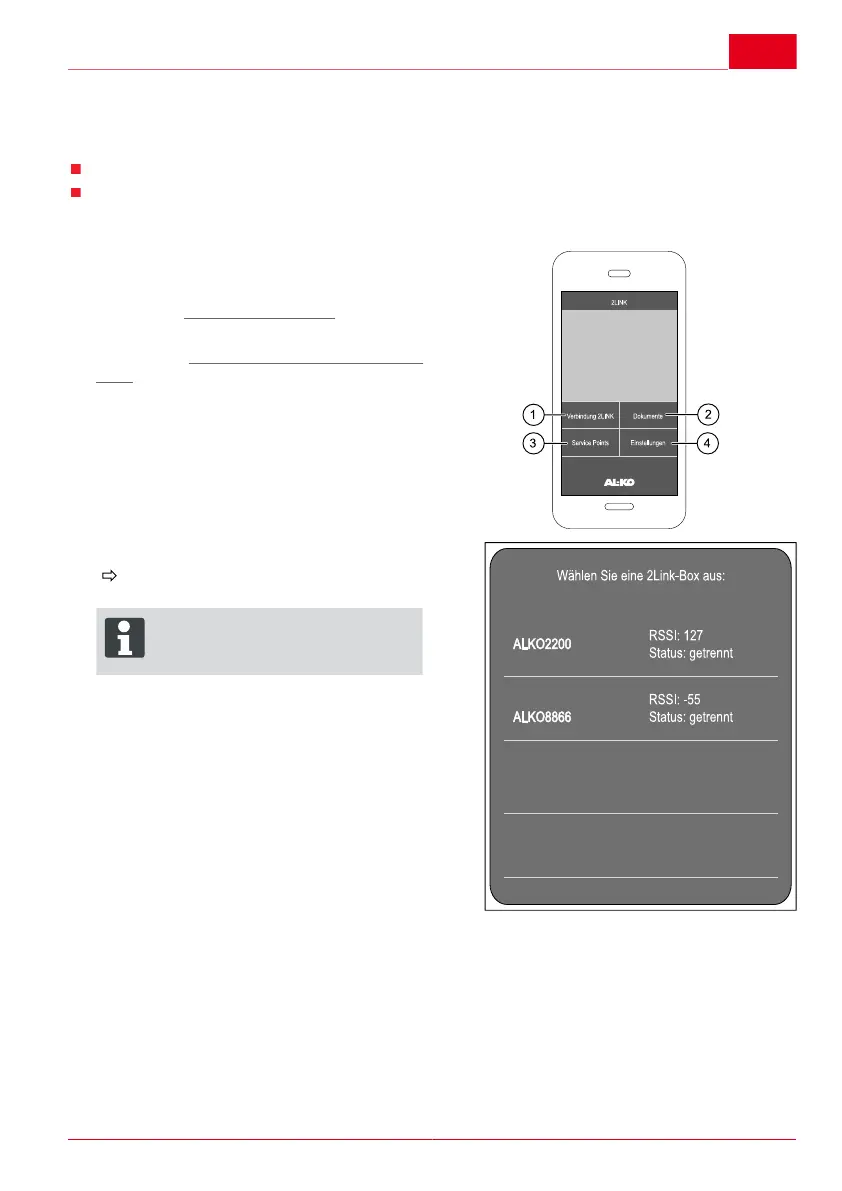
3. Start the 2LINK app.
4. Press the "2LINK connection" icon (1).
5. Select the appropriate 2LINK box.
You will be requested to enter your pass-
word.
ADVICE
The name and the password are
shown on the front page of the ma-
nual.



 To Next Page