EasyManua.ls Logo

AL-KO AMS2 - User Manual

AL-KO AMS2
172 pages
Go to English
Print Icon
To Next Page IconTo Next Page
Loading...
694 570_b I 07 / 2014
DECKBLATT FZT
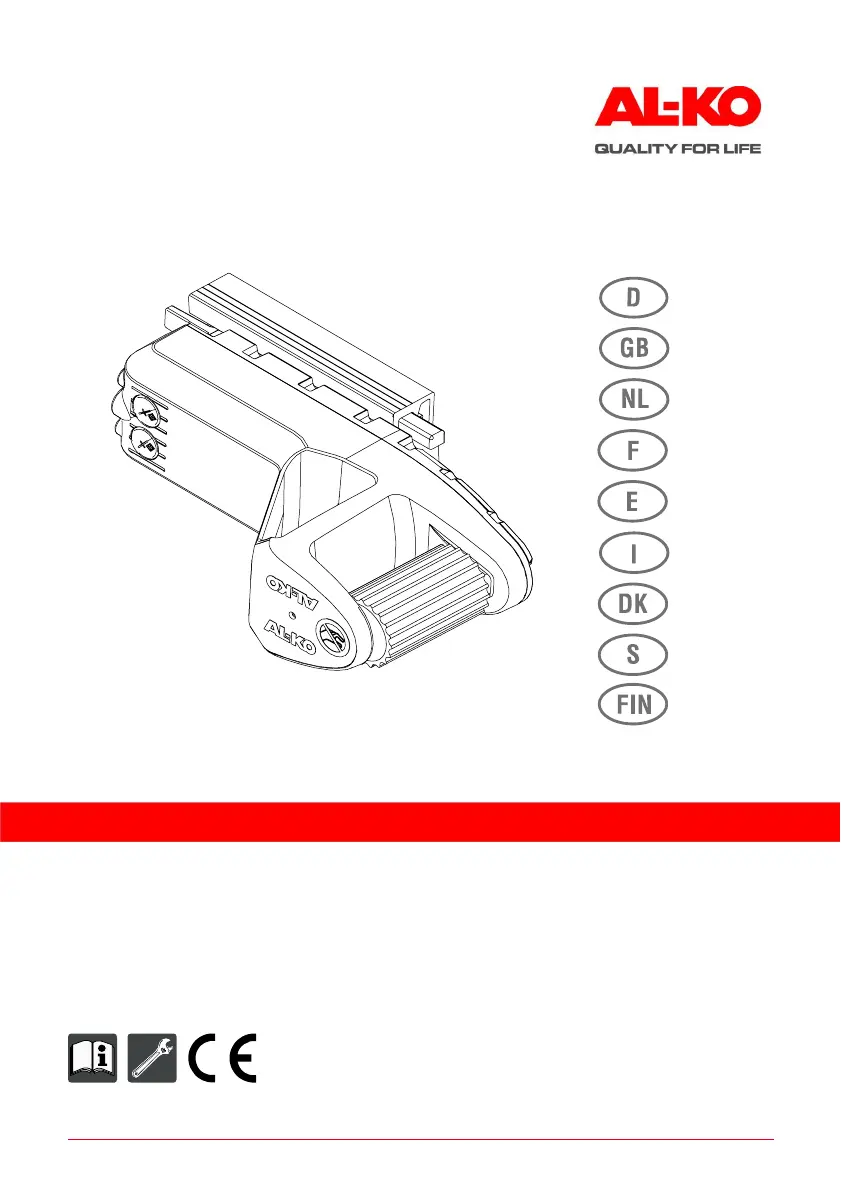
AMS2 Mammut Tandem
Betriebsanleitung
Rangiersystem für Caravans

Table of Contents

Other manuals for AL-KO AMS2

Questions and Answers

  • T
    Thomas FlynnAug 21, 2025
    Why initial start-up cannot be performed on AL-KO AMS2 Automobile Accessories?
    • A
      Albert AguilarAug 21, 2025
      If you're unable to perform the initial start-up of your AL-KO automobile accessories, here are some possible reasons: * The supply battery for the drives may be flat, defective, or not properly connected. Check the battery, charge or replace it if necessary, and ensure it's correctly connected. * The fuse may be removed or defective. Inspect the fuse and replace it if needed. * The remote control might be defective. Check the battery and the remote control itself, replacing it if necessary. * If none of these steps resolve the issue, the system may be defective.
  • C
    Casey BrayAug 23, 2025
    What to do if AL-KO Automobile Accessories system does not establish a radio link?
    • L
      Leslie ConradAug 23, 2025
      If your AL-KO automobile accessories system fails to establish a radio link, and the operation LED on the remote control doesn't show a continuous green light after attempting to position, consider the following: * Ensure that the initial start-up procedure has been completed. If not, repeat the initial start-up. * The release line may be defective. Replace the release line. As a temporary workaround, you can use the release button on the F-C-A to release the system.
  • C
    Cristina AllenAug 26, 2025
    How to fix AL-KO Automobile Accessories remote control if it does not perform an LED test?
    • J
      janicetorresAug 26, 2025
      If your AL-KO automobile accessories remote control doesn't perform an LED test when switched on, it could be due to the following reasons: * The batteries may be flat. Replace the batteries in the remote control. * The remote control itself may be defective. Replace the remote control and repeat the teach-in process.
  • V
    vrobinsonAug 27, 2025
    How to check flat supply battery for the drives of AL-KO Automobile Accessories?
    • C
      Cheryl SantosAug 28, 2025
      To check a flat supply battery for the drives of your AL-KO Automobile Accessories, check the battery display on the remote control, inspect the battery itself, and charge it if necessary.
  • D
    Daniel LaneAug 29, 2025
    What to do if AL-KO AMS2 system establishes a radio link, but the drives cannot be moved?
    • E
      Eric LawsonAug 30, 2025
      If your AL-KO automobile accessories system establishes a radio link, but the drives are unable to move to the wheels, consider the following: * Check the plug connections of the supply cable, such as the 3-pin plug, to ensure they are properly connected. Reconnect any disconnected plugs. If the plug connections are defective, contact an AL-KO service centre. * Check the LED on the remote control. If the operation LED lights up red, contact an AL-KO service centre, as this may indicate a system defect.
  • D
    diazmichaelSep 1, 2025
    What to do if AL-KO AMS2 movement is unexpectedly interrupted?
    • B
      Bethany ShepardSep 1, 2025
      If the movement of your AL-KO automobile accessories is unexpectedly interrupted during positioning, manoeuvring, or retracting, it may be due to a poor radio link or interruption in connection. Try reducing the distance from the drives, while maintaining a minimum distance of 0.5 meters.
  • T
    twhitneySep 3, 2025
    What to do if AL-KO AMS2 manoeuvring does not work?
    • B
      Bryan Bass DDSSep 3, 2025
      If the manoeuvring function of your AL-KO automobile accessories is not working, even though the operation LED is continuously green, the drives are in position, and there's no red LED on the remote control, the system may be defective.
  • G
    Gloria MurphySep 5, 2025
    How to check temperature of the drives of AL-KO AMS2 Automobile Accessories?
    • L
      Lance ValenciaSep 5, 2025
      To check if the temperature of the drives in your AL-KO Automobile Accessories is too high, refer to the LED on the remote control. Allow the drives to cool down.
  • C
    Cassandra HansonSep 7, 2025
    What to do if AL-KO Automobile Accessories drive retraction does not function?
    • J
      Jason OwensSep 7, 2025
      If the drive retraction on your AL-KO automobile accessories is not functioning, try the following: Press and hold the retract key while holding the remote control on the release switch to retract the drives. Repeat this procedure once if necessary. If this still doesn't work, retract the drives manually.
  • M
    Matthew GarciaSep 9, 2025
    How to fix defective remote control of AL-KO AMS2?
    • S
      Steven SerranoSep 10, 2025
      To fix a defective remote control for your AL-KO automobile accessories, replace the remote control and repeat the initial start-up procedure.

Summary

Translation of Operating Instructions

About This Document

Provides information about the documentation's purpose and usage guidelines.

Explanation of Symbols

Defines the meaning of various symbols used throughout the manual for clarity.

Product Description

Details the AL-KO Mammut manoeuvring system for caravans and its core functionality.

Performance Features

Highlights the key functional capabilities and benefits of the manoeuvring system.

Safety and Protective Devices

Quick Stop Functionality

Explains the immediate braking action when the joystick is released.

Quick Stop by Off Switch

Describes the braking mechanism activated by switching off the remote control.

Disengagement of Drives

Details how to stop the drive engagement and retract the units.

Designated Use

Specifies the intended applications and environments for the manoeuvring system.

Possible Misuse

Outlines incorrect applications that could lead to damage or hazards.

Technical Data

System Components

Radio Remote Control

LED Indicator Meanings

Explains the function and status indicated by the LEDs on the remote control.

Contact;Retract LED and Key Status

Describes the status of LEDs and keys related to drive engagement and retraction.

Joystick Functionality

Details the different movement and steering controls available via the joystick.

Activating the Drives

Instructions on how to engage the drive units with the caravan wheels.

Positioning Drives on Wheels

Guidance on moving the drives into contact with the caravan wheels.

Working Steps for Positioning

Step-by-step procedure for positioning the drives onto the wheels.

Safety Instructions

Installation Safety

Safety precautions related to the installation of the system.

System Safety

General safety guidelines for the operation of the manoeuvring system.

Radio Remote Control Safety

Specific warnings and precautions for using the remote control.

Initial Start-up

Safety

Crucial safety warnings to be observed during the initial start-up process.

Operation of Initial Start-up

Instructions on how the system functions during the initial start-up phase.

Pairing Remote Control and System

Procedure for establishing communication between the remote control and the drive controller.

Initial Start-up Working Steps

Detailed sequence of actions for performing the initial system start-up.

Manoeuvring

Joystick Control Areas

Diagrams and explanations of the joystick's directional and speed control zones.

Safe Manoeuvring Tips

Advice for smooth, safe, and effective caravan manoeuvring operations.

Joystick Function Explanations

Detailed breakdown of each joystick control function and its effect.

Turning Clearances

Visual representation of space required around the caravan during turns.

Manoeuvring Safety Instructions

Critical safety warnings and precautions to follow during caravan manoeuvring.

Manoeuvring Working Steps

Step-by-step guide for operating the manoeuvring system.

Hitching Up the Caravan

Hitching Up Working Steps

Procedure for using the manoeuvring system to align the caravan with the tow hitch.

Troubleshooting

Manual Retraction in Case of Malfunction

Manual Retraction Safety Warnings

Critical safety warnings regarding manual retraction procedures and potential hazards.

Manual Retraction Working Steps

Step-by-step instructions for manually retracting the drives from the wheels.

Mammut Sound Option

Enabling Mammut Sound

Instructions on how to activate the audible feedback feature for the remote control.

Disabling Mammut Sound

Instructions on how to deactivate the audible feedback feature.

Maintenance and Care

Maintenance and Care Safety

Essential safety guidelines before performing any maintenance or cleaning.

Warranty

EU Declaration of Conformity

AL-KO AMS2 Specifications

General IconGeneral
BrandAL-KO
ModelAMS2
CategoryAutomobile Accessories
LanguageEnglish

Related product manuals