17 Nov. 2006
ELECTRICAL START UP
Step 1.
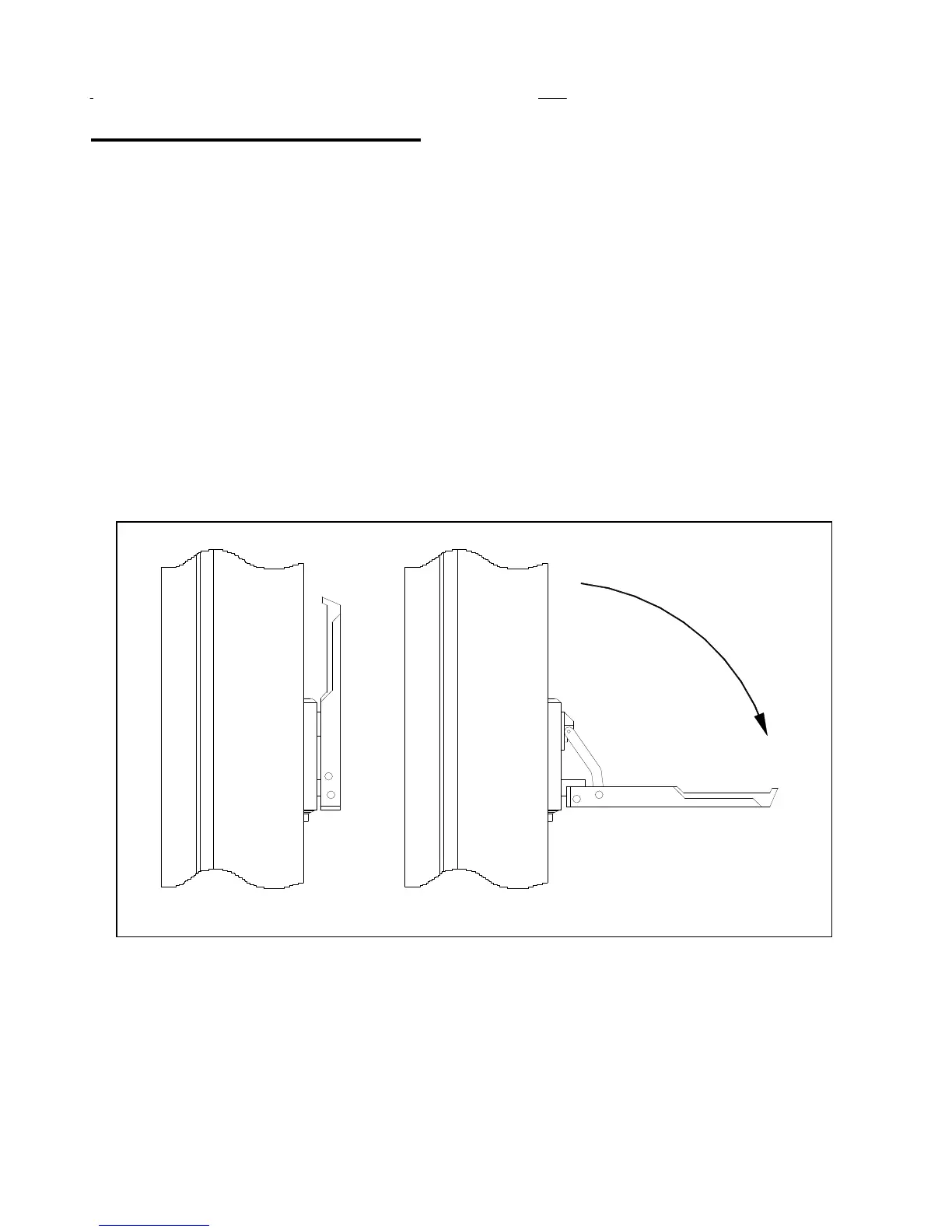
Manually bring the door to the halfway closed position. This can be done by pulling down on
the bowden lever to release the drive unit brake and moving the curtain by hand (Figure 12).
Step 2.
Check for correct line voltage at the disconnect with a voltmeter. Utilize the All-Star control
panel manual to make all field wire connections to the panel. Apply power to the control panel. Ensure
the POWER LED’s on both the PLC and frequency inverter are lit. Also ensure that the RUN LED is lit
on the PLC.
Step 3
. Push the SETUP button. The RESET light on the outside of the panel will come on and relay
CR-11 will be energized at this point. Using the OPEN/CLOSE JOG DOOR button located on the
control panel backplate (small rocker switch), jog the door in the close direction. If the door closes, go to
the next step. If the door opens, then the phase rotation on the drive unit is backwards. Swap two of the
three motor leads in the panel to change the motor rotation (terminals T11, T12, T13).
Disengaged


 To Next Page