23
English
EN
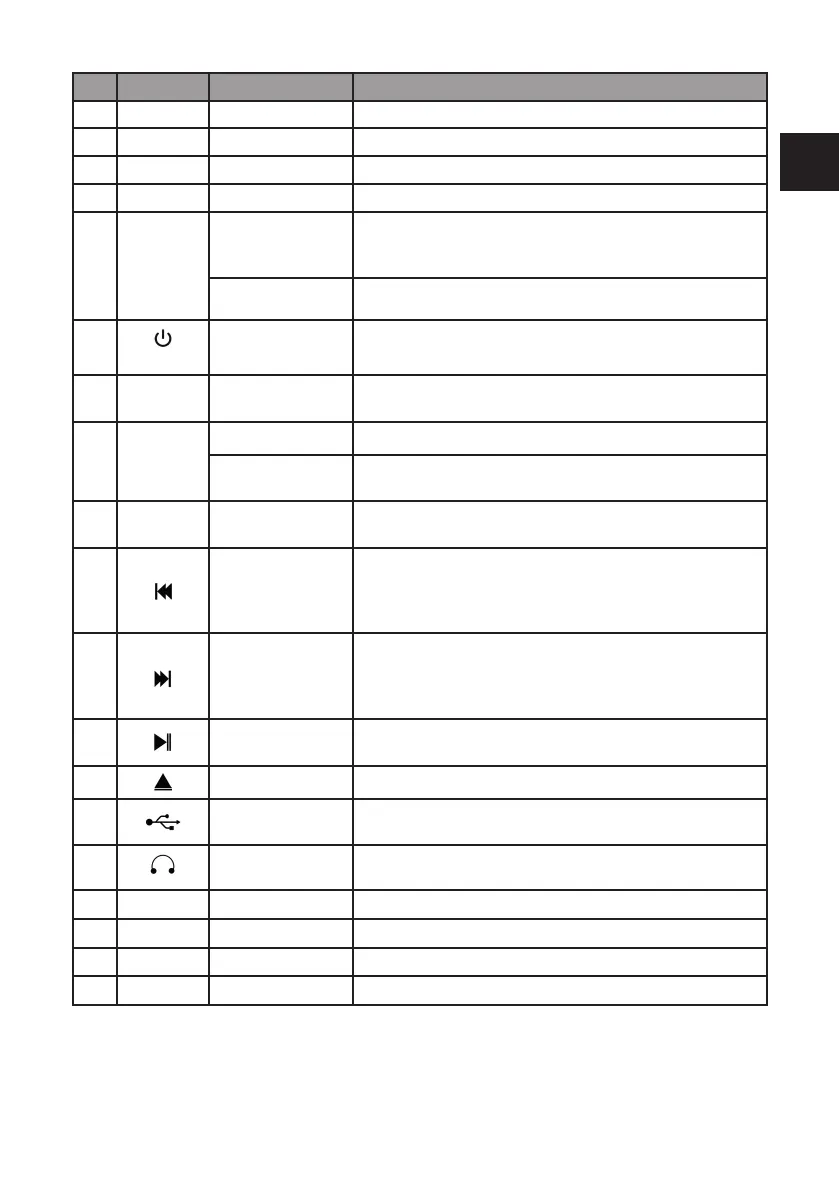
No. Description Functions
1 Display Shows information about stations, songs, album, etc.
2 IR receiver Sensor for infrared signal from remote
3
Standby indicator Red LED when in Standby mode
4 CD disc tray Place CD’s in the center of the disc tray
5
Tune
Navigation
OK
Rotate
DAB: move to the next Station
FM: manual tuning
To move up or down through menus
Press Press to con rm selection or move to subsequent menu
6
Volume
On/Off
Change volume
Press to turn on/off the radio
Rotate to increase or decrease the volume level
7 MODE Source
Change mode: DAB+, FM, USB, Bluetooth,
Audio (Aux-In), CD
8
INFO
PAIR
Info
Press to toogle the Infos in DAB+ / FM
Bluetooth pairing
BT unpairing
Press and hold to activate the Bluetooth pairing function
Press again to disconnect the paired device
9 EQ Equalizer
Select equalizer setting:
Class, Pop, Rock, Jazz, Normal
10
Last track
CD/USB: select previous track / hold to fast rewind
DAB: short press to show favorite list. Long press to dis-
play channel list
FM: move to previous preset station
11
Next track
CD/USB: select next track / hold to fast forward
DAB: short press to show favorite list. Long press to dis-
play channel list
FM: move to next preset station
12
Play / Pause
CD/USB/Bluetooth: press to play or pause music
DAB/FM: enter main menu
13
Open / close
Open or close the CD disc tray
14
USB
Connection for USB-stick or MP3-Player.
Also for recharging mobile devices
15
Headphone 3.5mm headphone/earphone socket
16
Audio-In
Aux-In 3.5mm Aux-In socket to connect external devices
17
Antenna
Telescop antenna DAB+/ FM reception antenna
18
0 / I
On/Off button Switch button to “I” to turn on the radio
19
AC~
AC input Connect the power cable to the AC input



 To Next Page