28
English
EN
4.5. Audio settings
By default, all stereo stations are reproduced in stereo. For weak stations, this may result in poor
audio quality. The audio quality can be improved by changing the audio setting to Mono.
To play weak stations in mono select MENU > Audio setting > Mono.
You can select between these options: Stereo | Mono
4.6. Factory Reset
A factory reset returns all user settings to default values, so that favorites, time/ date and other indi-
vidual settings are lost. To reset the device press MENU > Factory reset and conrm with
4.7. SW-Version
If you want to view the SW version press MENU > SW version and conrm with
4.8. Language
The default language is German. If you would like to change the language, press
MENU > Language or press „LANGUAGE“ on the remote control to switch between German,
English or French.
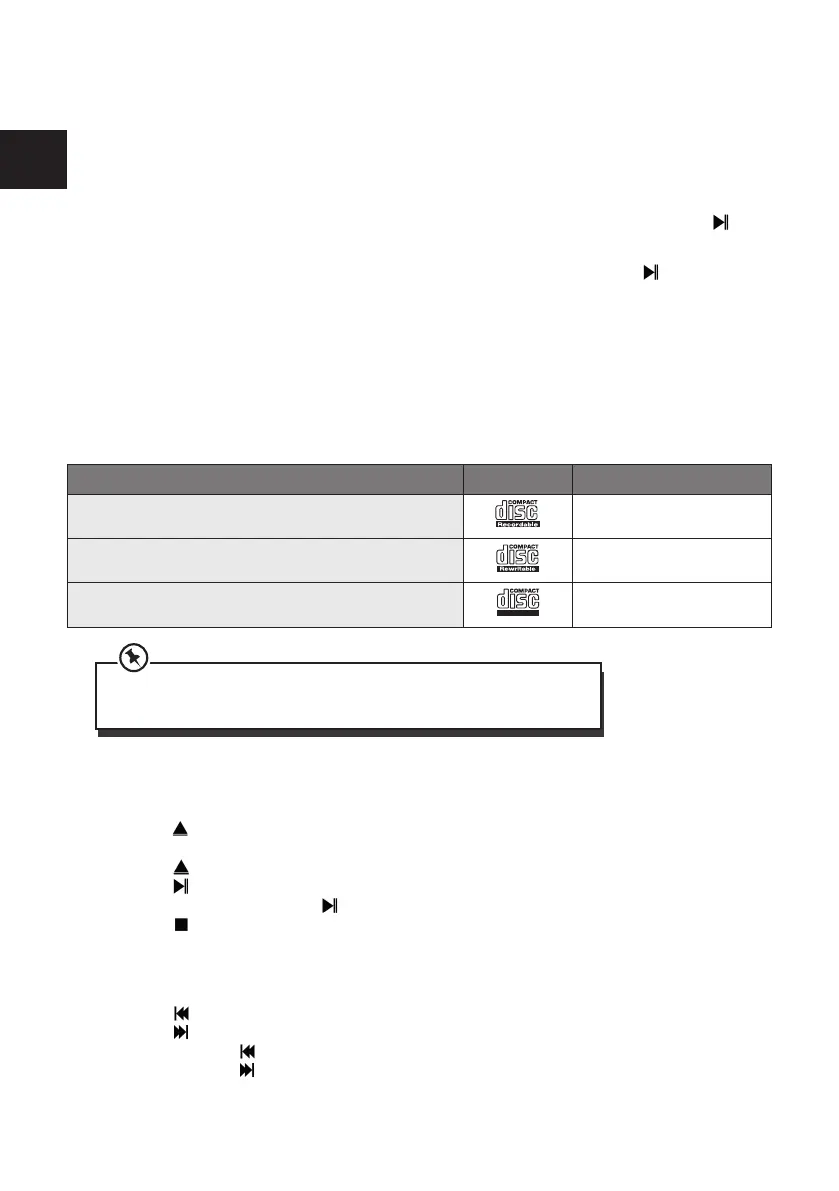
5. CD Mode
Supported Compatible Disc Types are:
Disc Types Disc Logo Recorded Content
CD-R (CD Recordable - Audio/MP3/WMA)
AUDIO/MP3/WMA
CD-RW (CD-Rewritable - Audio/MP3/WMA)
AUDIO/MP3/WMA
AUDIO-CD (Compact Disc Digital Audio)
AUDIO
Some recorded files may not be able to be played due to the type and format
of disc or condition of the recording.
5.1. CD Playing
• Press the MODE button until “CD” is displayed or press the CD button on the remote control to
select CD function.
• Press the button to open the disc door, and put the CD on the disc tray (with the printed side
up).
• Press the button to close the disc door, the unit will automatically start playing.
• Press the button to pause the playback.
• To resume playback, press the button again.
• Press the button on the remote control to stop the playing.
• The CD player supports the resume function (the playback will resume where you have stopped
listening) in standby.
5.2. To Skip or Search in CD mode
• Press the
button to skip backward one track on the disc
• Press the button to skip forward one track on the disc
• Press and hold the button on the remote control to fast backward to a track position
• Press and hold the button on the remote control to fast forward to a track position



 To Next Page