— 23 —— 22 —
REMOTE ACCESS
To Play Videos
w
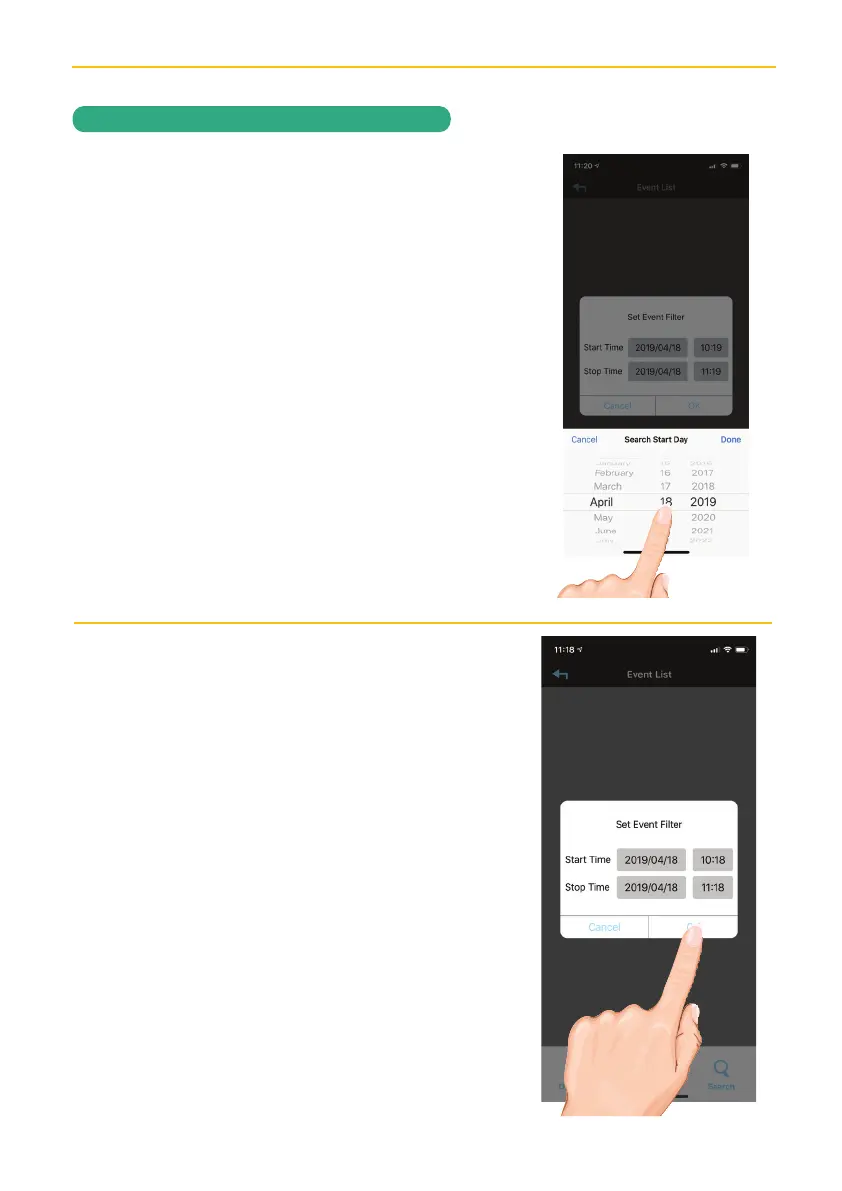
Select the desired Start Time/Date of
the videos you want to view by tapping
on the respective option (date or time)
and then setting. When finished, tap
Done.
x
Repeat for Stop Time/Date, then tap
OK; the Event List will appear.


 To Next Page